Shared Cloud Hosting vs VPS Hosting: What Is the Difference?
Shared Cloud Hosting vs VPS Hosting:
Choosing between Shared Cloud Hosting vs VPS Hosting can seem complicated when you start seeing terms such as CPU cores, RAM, root access, virtualization, storage and bandwidth.
However, the basic difference is fairly straightforward.
Shared cloud hosting is designed to make hosting a website easier. Much of the underlying server infrastructure is managed for you, allowing you to concentrate on your website, email, domains, databases and other everyday hosting tasks.
A Virtual Private Server (VPS) gives you a separate virtual server environment with allocated computing resources and considerably more control over the server.
Neither hosting type is automatically better than the other. Each serves a different purpose.
The right choice depends on your website, technical requirements, budget, expected resource usage and how much responsibility you want for managing the server.
This guide explains Shared Cloud Hosting vs VPS Hosting in everyday language, including the advantages and disadvantages of each and how HostRite Cloud Hosting’s actual hosting plans compare.
What Is Shared Cloud Hosting?
Shared cloud hosting allows multiple hosting accounts to use a professionally managed cloud hosting infrastructure.
Instead of purchasing and administering your own virtual server, you receive a hosting account with the tools necessary to manage your website.
Think of it somewhat like living in an apartment building.
You have your own apartment and control what happens inside it. However, you don’t personally maintain the building’s electrical system, plumbing, roof or other underlying infrastructure.
Shared cloud hosting works on a similar principle.
You manage your websites, domains, email accounts, databases and files while the hosting provider manages the underlying hosting platform.
This makes shared cloud hosting especially attractive to people who want to manage a website without becoming server administrators.
How HostRite Shared Cloud Hosting Works
HostRite Cloud Hosting currently offers four primary shared cloud hosting plans:
| HostRite Plan | Hosted Domains | Storage | Traffic | Price |
|---|---|---|---|---|
| Economy | 1 | Unlimited | Unlimited | $3.00/mo equivalent |
| EconomyPlus | 5 | Unlimited | Unlimited | $3.92/mo equivalent |
| Business | Unlimited | Unlimited | Unlimited | $8.67/mo equivalent |
| Executive | Unlimited | Unlimited | Unlimited | $12.50/mo equivalent |
The shared cloud hosting plans are billed annually. Economy is $36 per year, EconomyPlus is $47 per year, Business is $104 per year and Executive is $150 per year.
As with virtually any hosting service offering unlimited resources, unlimited storage and traffic remain subject to applicable service terms and resource protections.
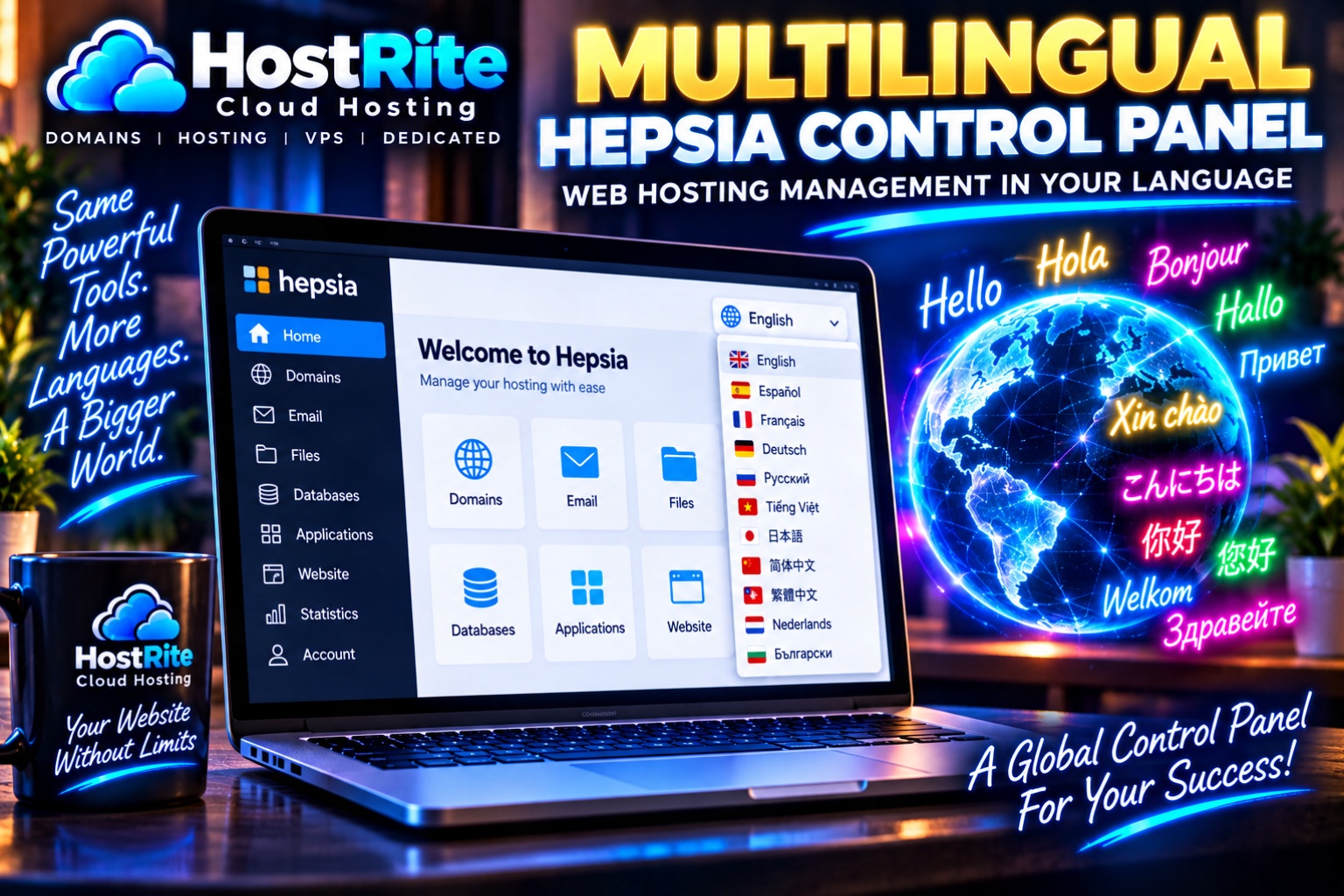
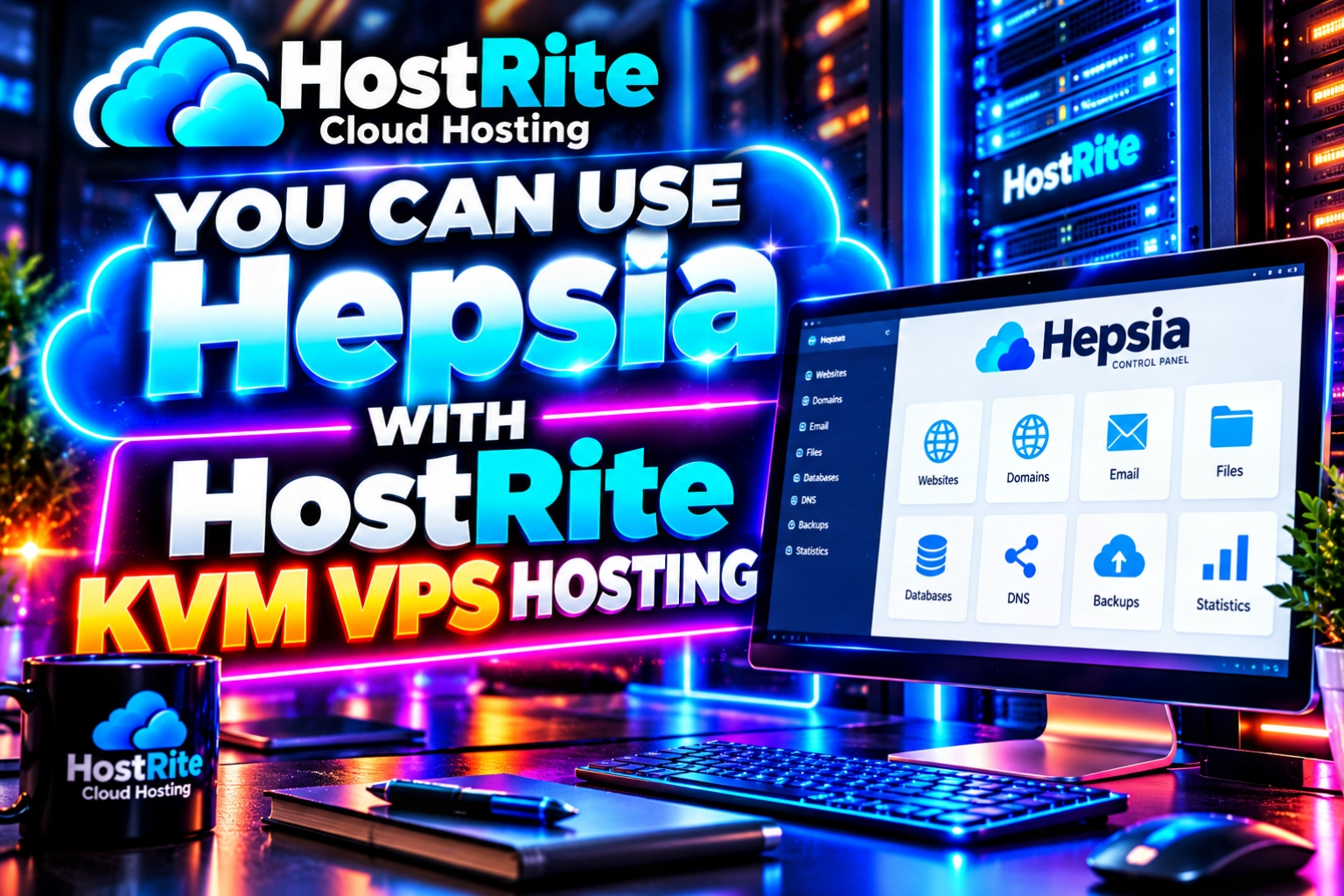
HostRite’s shared cloud hosting plans also include access to the Hepsia Control Panel, which provides a graphical interface for managing common hosting tasks.
The Biggest Benefit of Shared Cloud Hosting: Simplicity
Simplicity is one of the strongest advantages when comparing Shared Cloud Hosting vs VPS Hosting.
Most website owners don’t want to spend their time administering Linux servers.
They want to install WordPress, upload files, create email accounts, manage domains, work with databases and keep their websites online.
Shared cloud hosting is designed around those requirements.
The underlying server infrastructure is managed at the platform level while the customer works primarily within the hosting control panel.
This dramatically reduces the technical knowledge required to operate a website.
HostRite Uses the Hepsia Control Panel
HostRite shared cloud hosting uses the Hepsia Control Panel rather than cPanel.
Hepsia provides centralized management for many of the functions website owners use every day.
Customers can manage areas such as:
- Websites and domains
- Email accounts
- Files
- FTP accounts
- Databases
- DNS settings
- Applications
- Backups
- SSL certificates
- Website statistics
The objective is to provide the tools necessary to operate a website without requiring customers to administer the underlying server.
For someone who simply wants to host a website, this can be considerably easier than maintaining a VPS.
Shared Cloud Hosting Costs Less
Price is another significant advantage in the Shared Cloud Hosting vs VPS Hosting comparison.
HostRite’s Economy shared cloud hosting plan currently starts at the equivalent of $3.00 per month, while the entry-level HostRite KVM VPS starts at $14.50 per month.
That difference exists because you are purchasing different types of services.
With shared cloud hosting, infrastructure resources are provided through the managed hosting platform.
With VPS hosting, you are purchasing a virtual server with defined computing resources.
If your website doesn’t require those additional resources or server-level capabilities, paying for them may provide little practical benefit.
Shared Cloud Hosting Reduces Server Administration
Another major benefit of shared cloud hosting is something customers may never actually see.
The server still has to be maintained.
Operating systems need maintenance. Server software needs attention. Security systems must be maintained. Infrastructure must be monitored.
With shared cloud hosting, much of that work happens behind the scenes.
The customer can concentrate on managing the website rather than maintaining the server that powers it.
For many website owners, that is one of the biggest advantages of shared cloud hosting.
Shared Cloud Hosting Works Well for WordPress
A WordPress website does not automatically require a VPS.
Blogs, local business websites, portfolios, informational websites, news websites and many other WordPress projects can operate on shared cloud hosting.
HostRite’s platform also provides website-management and application-installation tools intended to simplify getting websites online.
The important question isn’t:
“Would WordPress run on a VPS?”
Of course it can.
The more useful question is:
“Does this WordPress website actually need a VPS?”
For many websites, the answer will be no.

Benefits of Shared Cloud Hosting
Shared cloud hosting provides several important advantages.
Lower cost: Entry-level shared cloud hosting costs considerably less than maintaining a VPS.
Easier management: Customers can concentrate on their websites instead of server administration.
Hepsia Control Panel: Common hosting functions are available through a graphical control panel.
Less technical knowledge required: You don’t need to understand Linux server administration simply to operate a normal website.
Managed infrastructure: HostRite handles the underlying shared cloud hosting environment.
Easy starting point: New websites can begin with an inexpensive plan and move to more powerful hosting later if necessary.
30-day free trial: HostRite’s shared cloud hosting plans can currently be tested for 30 days without requiring a credit card.
These advantages make shared cloud hosting particularly appealing to website owners who value convenience.
What Are the Downfalls of Shared Cloud Hosting?
Shared cloud hosting also has limitations.
The biggest limitation is control.
You don’t have unrestricted root-level access to the underlying hosting infrastructure.
The provider determines the basic server environment and which system-level software and configurations are available.
Resource protections must also exist because the platform serves multiple hosting customers.
Therefore, you cannot treat a shared cloud hosting account like your own private Linux server.
If an application requires specialized server software, an unusual operating-system configuration, root privileges or another system-level modification, shared cloud hosting may not provide the flexibility you need.
This is where VPS hosting becomes important.
What Is VPS Hosting?
VPS stands for Virtual Private Server.
Virtualization technology allows a physical server to operate multiple separate virtual servers.
Each VPS functions as its own server environment with allocated resources.
Rather than purchasing only a website-hosting account, you’re essentially renting a virtual server.
That virtual server can have its own:
- CPU allocation
- RAM
- Storage
- Data-transfer allowance
- Operating system
- IP address
- Server configuration
HostRite’s KVM VPS hosting also provides full root access, giving the administrator considerably more control over the server.
What Does KVM VPS Hosting Mean?
HostRite’s primary VPS lineup uses KVM virtualization.
KVM stands for Kernel-based Virtual Machine.
You don’t need to understand virtualization technology in depth to understand its practical benefit.
The important difference is that a KVM VPS provides a defined virtual-server environment with specified computing resources.
Instead of simply selecting a website-hosting plan, you select how much CPU, RAM, storage and monthly transfer your virtual server receives.
HostRite KVM VPS Hosting Plans
HostRite currently offers four primary KVM VPS configurations:
| HostRite VPS | CPU Cores | RAM | Storage | Data Transfer | Price |
|---|---|---|---|---|---|
| KVM 4 | 2 | 4 GB | 80 GB | 4 TB | $14.50/mo |
| KVM 8 | 4 | 8 GB | 160 GB | 5 TB | $29.00/mo |
| KVM 16 | 6 | 16 GB | 320 GB | 6 TB | $58.00/mo |
| KVM 32 | 8 | 32 GB | 480 GB | 7 TB | $115.00/mo |
These plans provide a clear progression as server requirements increase.
KVM 4 provides an affordable entry point with 2 CPU cores and 4 GB RAM.
At the other end, KVM 32 provides 8 CPU cores, 32 GB RAM and 480 GB storage.
This scalability is one of the major advantages of VPS hosting.
VPS Hosting Gives You More Control
Control is one of the biggest differences between Shared Cloud Hosting vs VPS Hosting.
HostRite KVM VPS plans provide full root access.
Root access is essentially administrator-level access to a Linux server.
It allows knowledgeable administrators to make changes that aren’t normally possible within a shared cloud hosting account.
Depending on the chosen configuration, this can include installing server software, configuring services, changing system settings and creating an environment designed around a specific application.
For developers and experienced administrators, this freedom can be extremely valuable.
For someone who simply wants to operate a business website, it may be unnecessary.
VPS Hosting Provides Defined Resources
A VPS also provides much clearer resource specifications.
Consider HostRite KVM 8.
The plan provides:
4 CPU cores, 8 GB RAM, 160 GB storage and 5 TB of monthly data transfer.
Those are defined resources for the virtual-server configuration.
This makes VPS hosting useful when a project has resource requirements that justify moving beyond shared cloud hosting.
It can also make capacity planning easier because you know which VPS configuration you have purchased.
VPS Hosting Can Scale With Your Project
Scalability is another important VPS advantage.
A project might initially need only 2 CPU cores and 4 GB RAM.
As its requirements increase, a larger VPS can provide additional computing resources.
HostRite’s current KVM range progresses from:
KVM 4: 2 cores and 4 GB RAM
to:
KVM 32: 8 cores and 32 GB RAM
This provides a straightforward path for projects that outgrow smaller virtual-server configurations.
You Can Use Hepsia With HostRite KVM VPS Hosting
Choosing VPS hosting doesn’t necessarily mean giving up the convenience of a graphical hosting control panel.
HostRite offers Hepsia as a control-panel option for compatible KVM VPS configurations.
This can create a useful middle ground.
You receive the additional resources of a VPS while retaining many of the website-management conveniences available through Hepsia.
This can be especially attractive to someone moving from HostRite shared cloud hosting to VPS hosting who already understands the Hepsia environment.
However, a VPS remains a different product from shared cloud hosting.
The presence of a control panel doesn’t eliminate every server-management consideration associated with operating a virtual server.
The Biggest VPS Downfall: Complexity
The greatest advantage of VPS hosting can also become its greatest drawback.
You have more control.
More control means more responsibility.
Depending on how the VPS is configured and managed, server administration can involve:
- Operating-system updates
- Software installation
- Security configuration
- SSH
- Firewall configuration
- Permissions
- Resource monitoring
- Server troubleshooting
- Backup planning
- Service configuration
Root access is extremely powerful.
However, administrator-level access also means administrator-level mistakes can have much larger consequences.
For someone without server-administration experience, shared cloud hosting can therefore be considerably easier.
VPS Hosting Costs More
VPS hosting generally costs more because you’re receiving an isolated virtual environment with defined resources.
The difference is easy to see in HostRite’s lineup.
Shared cloud hosting begins at $3.00 per month equivalent.
KVM VPS hosting begins at $14.50 per month.
The largest current HostRite KVM configuration costs $115 per month.
That doesn’t make VPS hosting overpriced.
It means you’re purchasing substantially different resources and capabilities.
The question is whether your project actually needs them.
Shared Cloud Hosting vs VPS Hosting: Side-by-Side Comparison
| Feature | Shared Cloud Hosting | KVM VPS Hosting |
|---|---|---|
| Ease of use | Easier for most website owners | More technical |
| Starting HostRite price | $3.00/mo equivalent | $14.50/mo |
| Underlying infrastructure management | Primarily handled by HostRite | More administration may be required |
| Root access | No | Yes |
| Defined RAM allocation | Not sold as a VPS RAM allocation | Yes |
| Defined CPU cores | Not sold as VPS CPU cores | Yes |
| Operating-system control | Limited | Greater control |
| Hepsia available | Yes | Available on compatible configurations |
| Server customization | Limited | Extensive |
| Best for beginners | Generally easier | Depends on technical experience |
| Custom server applications | Limited | Much greater flexibility |
| 30-day free trial | Available | Not part of the standard KVM VPS offer |
| Best suited for | Websites needing simplicity | Projects needing resources and control |

Performance: Is VPS Hosting Always Faster?
No.
This is an important misconception in the Shared Cloud Hosting vs VPS Hosting discussion.
Buying a VPS doesn’t automatically make a website faster.
Website performance depends on many factors, including:
- Website software
- Database efficiency
- Caching
- Images
- Plugins
- Themes
- Traffic
- Available resources
- Server configuration
- Geographic distance
- Website optimization
A properly optimized website running on an appropriate shared cloud hosting plan can perform extremely well.
Likewise, a badly configured VPS can perform poorly despite having more resources.
The advantage of a VPS is that it provides greater resource allocation and configuration flexibility when a project actually needs them.
Security: Shared Cloud Hosting vs VPS Hosting
Security also works differently between these hosting environments.
With shared cloud hosting, HostRite manages much of the underlying server infrastructure.
This can be a significant advantage for someone who doesn’t have server-security experience.
VPS hosting gives the administrator more control over the server.
An experienced administrator can use that control to configure an environment around the needs of a particular application.
However, root access does not automatically make a VPS more secure.
It simply gives the administrator more authority.
That authority can be used to strengthen a server—or accidentally misconfigure it.
Regardless of hosting type, website owners should still use strong passwords, maintain current website software, keep reliable backups and follow sensible security practices.
Shared Cloud Hosting Is Not Simply a Weaker VPS
Shared cloud hosting and VPS hosting shouldn’t be viewed as “weak hosting” and “strong hosting.”
They are different approaches to solving different problems.
Shared cloud hosting intentionally hides much of the server infrastructure from the website owner.
VPS hosting intentionally provides greater access to that infrastructure.
That difference explains many of their advantages.
Shared cloud hosting emphasizes convenience.
VPS hosting emphasizes control and allocated resources.
Neither advantage matters if your website doesn’t need it.
Who Should Consider Shared Cloud Hosting?
Shared cloud hosting makes sense for a large number of websites.
It can be particularly suitable for:
- Personal websites
- Blogs
- Local business websites
- Portfolios
- WordPress websites
- News websites
- Organization websites
- Small business websites
- New websites
- Website owners who don’t want to administer a server
The lower price also makes shared cloud hosting a practical place to start.
There is little reason to pay for an entire virtual-server environment if your website doesn’t need one.
Who Should Consider VPS Hosting?
VPS hosting becomes more attractive when a project has specific technical requirements.
You may want to consider VPS hosting when you need:
- Root access
- More predictable CPU and RAM resources
- Custom server software
- Greater control over server configuration
- A specialized application
- A development environment
- Greater server-level flexibility
- Resources beyond what is appropriate for shared cloud hosting
The important distinction is that there should be a reason for moving to VPS hosting.
Simply having a VPS doesn’t automatically improve a website.
Can You Start With Shared Cloud Hosting and Upgrade Later?
Yes.
In fact, this can be a sensible approach for many new websites.
Start with the hosting environment that meets your current requirements.
If the website eventually needs additional resources, specialized server software or greater administrative control, you can then consider VPS hosting.
There is no reason for a new website to begin with unnecessary server complexity.
HostRite’s lineup makes this progression straightforward because customers have access to both shared cloud hosting and KVM VPS options.
Don’t Buy More Server Than Your Website Needs
Specifications can be tempting.
Eight CPU cores, 32 GB RAM and hundreds of gigabytes of storage sound impressive.
However, those resources have value only when a project needs them.
If an inexpensive shared cloud hosting account comfortably supports your website, paying for a VPS may simply increase your cost and administrative responsibilities.
On the other hand, attempting to force a specialized or resource-intensive project into an environment that doesn’t meet its requirements can create unnecessary limitations.
The objective is balance.
Choose enough hosting for what you’re doing without making the hosting environment unnecessarily complicated.
HostRite’s 30-Day Shared Cloud Hosting Free Trial
One advantage for customers who aren’t sure where to begin is HostRite’s 30-day free shared cloud hosting trial.
The trial allows new customers to explore the HostRite hosting environment and Hepsia Control Panel without initially committing to a paid shared cloud hosting plan.
A credit card is not required for the trial.
This provides an opportunity to see how HostRite’s shared cloud hosting platform works before deciding whether it provides everything your website needs.
For many websites, it may.
If your requirements eventually move beyond shared cloud hosting, HostRite’s VPS lineup provides the next level of server resources and control.
Shared Cloud Hosting vs VPS Hosting FAQ
Question: What is the main difference between shared cloud hosting and VPS hosting?
Answer: Shared cloud hosting provides a managed hosting environment designed to simplify running websites. VPS hosting provides a separate virtual server environment with defined resources and considerably greater server-level control.
Question: Is HostRite shared cloud hosting good for WordPress?
Answer: Yes. WordPress does not inherently require a VPS. Blogs, business websites, news sites and many other WordPress projects can operate on shared cloud hosting.
Question: What is HostRite’s least expensive shared cloud hosting plan?
Answer: HostRite Economy currently costs $36 annually, which works out to $3.00 per month. It supports one hosted domain.
Question: What is HostRite’s least expensive KVM VPS?
Answer: KVM 4 currently costs $14.50 per month and provides 2 CPU cores, 4 GB RAM, 80 GB storage and 4 TB of data transfer.
Question: Does HostRite KVM VPS hosting include root access?
Answer: Yes. HostRite’s KVM VPS plans provide full root access, giving administrators significantly greater server-level control than a shared cloud hosting account.
Question: Can HostRite KVM VPS hosting use Hepsia?
Answer: Yes. Hepsia is available as a control-panel option on compatible HostRite KVM VPS configurations.
Question: Is VPS hosting always faster than shared cloud hosting?
Answer: No. VPS hosting provides defined resources and greater configuration control, but website performance also depends heavily on optimization, caching, software, databases, traffic and server configuration.
Question: Is shared cloud hosting easier for beginners?
Answer: Generally, yes. Shared cloud hosting removes much of the underlying server-administration responsibility, allowing customers to concentrate primarily on their websites.
Question: Is VPS hosting more secure than shared cloud hosting?
Answer: Not automatically. VPS hosting provides greater administrative control, but the security of a VPS also depends on how it is configured and maintained. Shared cloud hosting places more of the underlying infrastructure management in the hands of the hosting provider.
Question: When should I move from shared cloud hosting to VPS hosting?
Answer: Consider VPS hosting when your project has a genuine need for additional allocated resources, root access, specialized server software or server-level customization that isn’t appropriate for a shared cloud hosting environment.
Question: Can I try HostRite shared cloud hosting before paying?
Answer: Yes. HostRite currently offers a 30-day free trial of its shared cloud hosting platform without requiring a credit card.
Shared Cloud Hosting vs VPS Hosting: Two Different Tools for Different Jobs
The most important thing to remember about Shared Cloud Hosting vs VPS Hosting is that one isn’t automatically superior to the other.
HostRite shared cloud hosting emphasizes simplicity, affordability and convenience. Much of the underlying infrastructure is handled for you, while Hepsia provides the tools needed to manage websites, domains, email, databases and other hosting functions.
HostRite KVM VPS hosting provides something different: greater control and clearly allocated server resources.
The current KVM range begins with 2 CPU cores and 4 GB RAM and extends to 8 CPU cores and 32 GB RAM. Full root access provides considerably greater flexibility for administrators who need it.
If your goal is simply to launch and manage a website, shared cloud hosting may provide everything you need without the additional complexity of administering a VPS.
If your project requires root access, specialized software, greater server-level customization or specifically allocated computing resources, VPS hosting provides the additional control necessary to build that environment.
Choose the hosting platform based on what your website actually requires today.
You can always grow tomorrow.