HostRite Web Hosting in Your Language with Multilingual Hepsia Control Panel
Additionally, HostRite offers the Multilingual Hepsia Control Panel.
Additionally, managing a website is easier when tools you use speak a language you understand—Multilingual Hepsia Control Panel.
That simple idea is one of the most useful features of the Multilingual Hepsia Control Panel available with HostRite Cloud Hosting.
Web hosting has traditionally involved many unfamiliar terms. Additionally, domains, databases, DNS settings, and file management can sound complicated for a first-time website manager.
Having to understand those tools in an unfamiliar language adds another obstacle.
For many users, a Multilingual Hepsia Control Panel can simplify learning.
HostRite’s Multilingual Hepsia Control Panel takes a different approach.
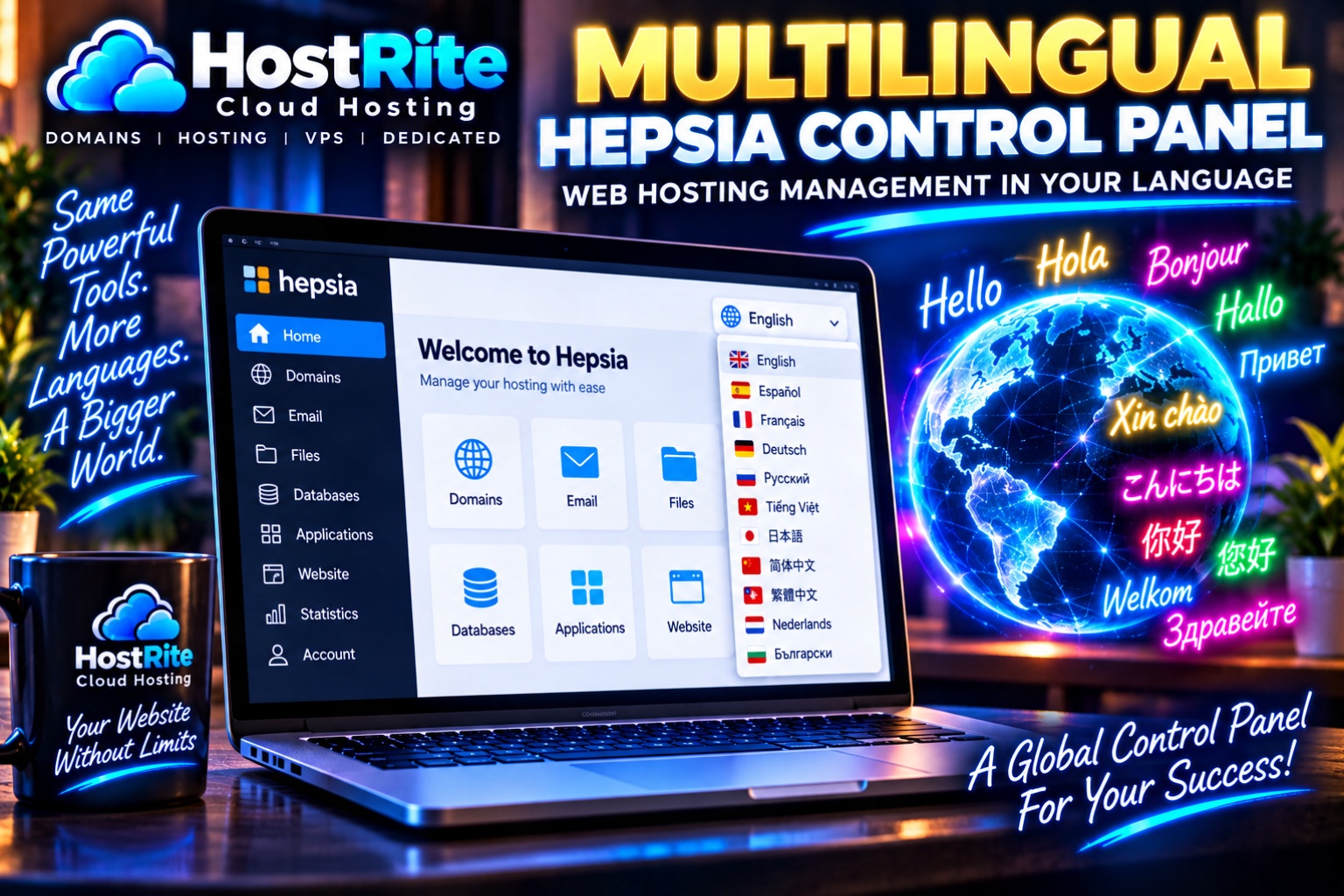
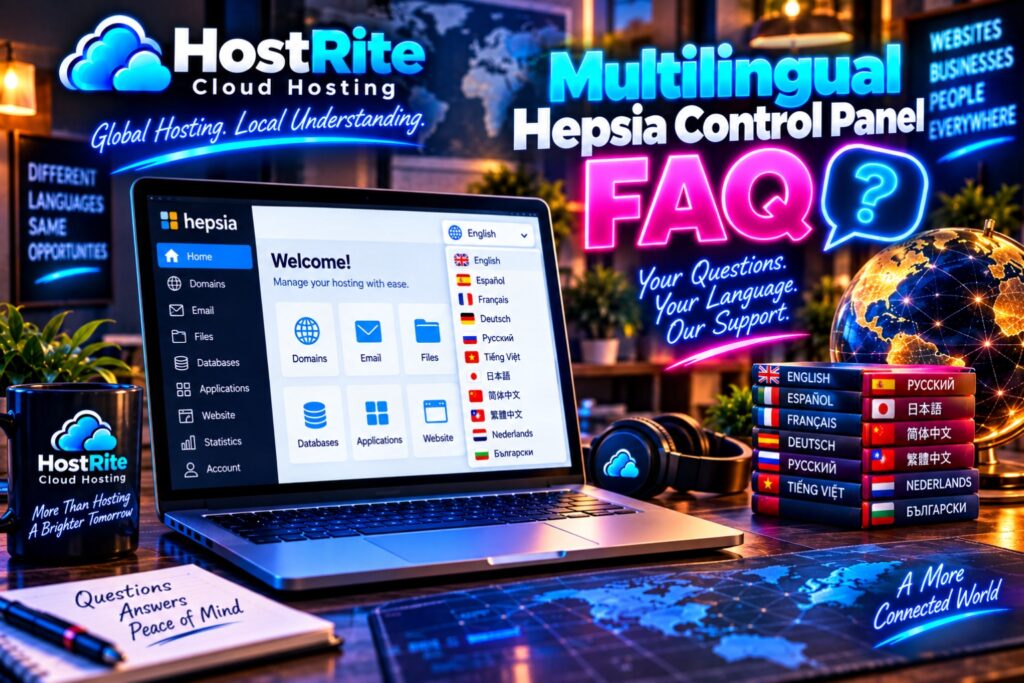
Instead of assuming every hosting customer wants an English-only interface, Hepsia currently supports 11 languages: English, Spanish, French, German, Russian, Vietnamese, Japanese, Simplified Chinese, Traditional Chinese, Dutch and Bulgarian.
More importantly, multilingual support isn’t isolated from the useful parts of the control panel. Hepsia brings major hosting functions such as domain management, email management, website files and databases into the same straightforward web-based environment.
For HostRite customers, that means web hosting management can become more understandable, more approachable and more comfortable in a preferred supported language.
What Is the Multilingual Hepsia Control Panel?
The Multilingual Hepsia Control Panel is the web-based management area customers use to handle many of the everyday jobs associated with their hosting account.
Think of it as the main dashboard for your website hosting.
When you need to manage a domain, you have a Domain Manager.
When you need to create an email account, you have an Email Manager.
When you need to upload or edit website files, you have a File Manager.
When you need to work with databases, you have a Database Manager.
Hepsia was designed specifically to make managing websites and email simple and easy to use. Its multilingual interface extends that accessibility to customers who prefer working in languages other than English.
That distinction is important.
A hosting control panel can have hundreds of capabilities, but those capabilities aren’t very helpful if customers struggle to understand the interface needed to reach them.
The Multilingual Hepsia Control Panel Currently Supports 11 Languages
The centerpiece of this HostRite hosting experience is the language selection.
According to the current Hepsia documentation, the control panel supports the following languages:
| Language | Hepsia Support |
|---|---|
| English | Yes |
| Spanish | Yes |
| French | Yes |
| German | Yes |
| Russian | Yes |
| Vietnamese | Yes |
| Japanese | Yes |
| Simplified Chinese | Yes |
| Traditional Chinese | Yes |
| Dutch | Yes |
| Bulgarian | Yes |
That’s 11 supported languages inside one hosting control-panel environment.
The source also states that additional language versions are regularly being implemented, although it doesn’t identify which languages will be introduced next.
Therefore, HostRite customers should consider the 11 languages above the currently documented selection rather than assuming that another language is already available.

Why a Multilingual Hosting Control Panel Matters
Website hosting is global.
A business in the United States might be managed by someone whose first language is Spanish.
A website owner in Europe may prefer French, German, Dutch or Bulgarian.
Another customer may be more comfortable reading Japanese, Vietnamese, Russian or Chinese.
The website itself may even serve an audience completely different from the person managing it.
Why should all of those people automatically be required to manage their hosting in English?
The Multilingual Hepsia Control Panel recognizes that hosting customers come from different backgrounds and speak different languages.
This matters most when someone needs to make an important change.
If you’re creating an email account, editing a domain setting or working with website files, understanding what appears on the screen can give you more confidence about what you’re doing.
Multilingual support doesn’t remove the need to learn how hosting works.
It removes an unnecessary language barrier from the process.
Manage Your Domains Through a Multilingual Hosting Environment
Domains are one of the most important parts of an online identity.
Fortunately, you don’t need to become a domain expert simply to handle everyday domain-management tasks.
Hepsia includes a dedicated Domain Manager where customers can register and transfer domains, edit name servers and WHOIS information, park domains and manage multiple domains.
The important connection to this article is that these domain-management tools exist inside the broader Multilingual Hepsia Control Panel.
Instead of multilingual support being disconnected from the practical parts of hosting, it accompanies the environment where customers actually manage their services.
A Spanish-speaking website owner still needs to manage domains.
So does a Japanese-speaking website owner.
So does someone who prefers German.
The task remains the same. Hepsia simply provides more language choices for interacting with the control panel that contains those tools.
Manage Website Email in Your Preferred Supported Language
Email is another everyday hosting function.
A business might need:
A church could need:
A personal website might use:
The Hepsia Email Manager provides tools for creating mailboxes, setting spam filters, controlling anti-virus protection levels, forwarding email and managing mailing lists.
These are practical tools rather than features reserved for hosting experts.
When they’re presented through the Multilingual Hepsia Control Panel, customers who prefer another supported language can work within a more familiar interface.
That’s where multilingual hosting becomes useful in the real world.
It isn’t simply about translating a welcome screen.
It’s about making the environment containing everyday hosting tools more accessible.
Manage Your Website Files With the Multilingual Hepsia Control Panel
Every website contains files.
Those files might include photographs, documents, themes, scripts and other information needed by the website.
Most website owners don’t need to touch them every day.
Eventually, however, you may need to upload something, edit a file, locate a folder or create a backup.
Hepsia provides a dedicated File Manager for those jobs.
Customers can manage and edit files through their browsers, upload files using drag-and-drop actions and generate file backups with a click.
This is exactly the kind of area where a multilingual interface can make a difference.
The File Manager already uses familiar ideas such as files, folders and drag-and-drop uploading. Providing access through the multilingual Hepsia environment makes those tools more approachable to a broader group of customers.
Database Management Can Be Easier to Approach in a Familiar Language
“Database” is one of those words that can make a new website owner think web hosting is about to become complicated.
It doesn’t have to.
Many popular websites use databases behind the scenes. You don’t necessarily need to understand everything happening inside one simply because your website uses it.
Hepsia includes a Database Manager that lets customers create and manage databases from one location. One-click database backups are supported, and customers can access the database administration area from there as well.
The Multilingual Hepsia Control Panel becomes particularly valuable when customers reach less familiar parts of hosting such as this.
Familiar language can help users focus on learning the actual task rather than translating the interface at the same time.

Multilingual Support Helps Beginners Learn Web Hosting
A beginner has enough to learn already.
What is a domain?
Where are website files stored?
What is a database?
How do email accounts work?
Where do I install an application?
Those are normal questions.
Now imagine trying to learn all of those concepts while simultaneously translating the control panel.
The Multilingual Hepsia Control Panel can remove that additional hurdle for customers whose preferred language is one of the 11 currently supported options.
This doesn’t mean every hosting concept suddenly becomes self-explanatory.
Instead, customers have an opportunity to learn those concepts through an interface that may be easier for them to understand.
For someone building a first website, that’s a meaningful difference.
Install Website Applications Through Hepsia
The multilingual hosting environment isn’t limited to basic account maintenance.
Hepsia also provides an Application Installer capable of installing more than 50 popular PHP web applications. The system can automatically create the required database as part of the installation process.
For everyday customers, the important idea is simple:
You don’t necessarily have to perform every part of an application installation manually.
Hepsia provides tools intended to simplify the process.
And because those tools live within the broader multilingual control-panel environment, international users aren’t being treated as an afterthought.
Launching a Website Can Be Point-and-Click
Hepsia also provides a Website Installer.
The current documentation describes it as a point-and-click wizard that can publish a new website in just a few clicks, potentially getting a new website online in less than five minutes.
That’s consistent with the larger purpose of the Multilingual Hepsia Control Panel.
Web hosting shouldn’t be unnecessarily difficult.
A small-business owner shouldn’t need to become a programmer simply to establish a basic website.
Likewise, someone shouldn’t need perfect English simply to interact with their hosting dashboard when another supported language is more comfortable.
Free Website Themes Provide Another Starting Point
Hepsia also includes a selection of free website templates for personal and business websites.
Templates can give someone starting a new website a foundation rather than an empty screen.
Combined with a multilingual control-panel interface and point-and-click website tools, this makes the environment more approachable to customers who are interested in building a website rather than learning every technical detail behind one.
Website Performance Tools Are Available Too
The Multilingual Hepsia Control Panel isn’t useful only to beginners.
As websites grow, customers may want access to more advanced functionality.
Hepsia provides website accelerators including Varnish, Memcached and NodeJS. These technologies are intended to help improve the performance of websites and applications.
The terminology may be more advanced, but the underlying idea isn’t difficult to understand:
These are tools available to help websites perform better.
This is another place where multilingual hosting management can be particularly helpful.
The more advanced the terminology becomes, the more useful a familiar interface language may be.
Security Is Part of the Hepsia Environment
Website owners also need security.
Hepsia includes ModSecurity, an application-level firewall that the documentation says is enabled by default. It is designed to help protect web applications against common attacks without requiring customers to perform the initial setup themselves.
That’s useful for everyday customers because security shouldn’t depend entirely on whether someone understands complicated server terminology.
Having security tools within the same multilingual hosting environment keeps important hosting functions together.

Multilingual Hosting Makes Sense for International Businesses
A multilingual control panel can be particularly useful for businesses.
Imagine a company operating in the United States with employees who prefer English and Spanish.
Or a European business whose website reaches customers in several countries.
Perhaps a company has someone in Germany managing its website while another team member in another location works on its content.
The Internet doesn’t stop at national borders.
Neither should hosting-management usability.
With English, Spanish, French, German, Russian, Vietnamese, Japanese, Simplified Chinese, Traditional Chinese, Dutch and Bulgarian currently supported, Hepsia provides HostRite customers with considerably more language flexibility than an English-only hosting environment.
Spanish-Speaking Customers Can Manage Hosting in Spanish
Spanish is one of the world’s most widely spoken languages, and it is currently supported by the Multilingual Hepsia Control Panel.
For Spanish-speaking HostRite customers, this can make ordinary hosting tasks more approachable.
Whether the goal is managing domains, working with email or accessing website-management tools, customers can interact with the Hepsia interface using Spanish rather than being limited to English.
French, German and Dutch Are Supported
European language support currently includes French, German and Dutch, along with English and Bulgarian.
That can benefit website owners, organizations and businesses serving European audiences or simply customers who are more comfortable managing their hosting in one of those languages.
The website itself doesn’t necessarily need to use the same language as the control panel.
That’s worth emphasizing.
Your public website can serve one audience while you manage the hosting environment in the supported language you personally prefer.
Japanese, Simplified Chinese and Traditional Chinese Are Supported
Hepsia’s multilingual reach also extends into major Asian languages.
Japanese, Simplified Chinese and Traditional Chinese are all currently included.
Simplified Chinese and Traditional Chinese are provided as separate supported language options.
This broadens the usefulness of the Multilingual Hepsia Control Panel considerably and reinforces that multilingual functionality is not simply a small selection of Western European languages.
Vietnamese Is Supported
Vietnamese is another currently supported Hepsia language.
That gives Vietnamese-speaking website owners another option for navigating their hosting-management environment.
Again, the advantage isn’t about changing what web hosting does.
A domain is still a domain.
An email account is still an email account.
A website file is still a website file.
Multilingual support changes how those hosting-management tools are presented to the person using them.
Russian and Bulgarian Are Supported Too
Russian and Bulgarian complete the currently documented list alongside the other supported languages.
Taken together, Hepsia’s 11-language selection demonstrates that multilingual functionality is a substantial part of the control panel rather than a simple English-plus-one-language option.
That distinction is one of the reasons HostRite is highlighting the Multilingual Hepsia Control Panel.
One Hosting Control Panel, 11 Languages
The easiest way to summarize the concept is this:
One hosting control panel.
The same important website-management tools.
11 currently supported languages.
The hosting tasks don’t fundamentally change when you switch languages.
Customers still need to manage domains.
They still need email.
They still need files.
They still need databases.
They may still need applications, backups, security features and performance tools.
The Multilingual Hepsia Control Panel brings those functions into one environment while giving customers more freedom over the language used to interact with that environment.
The Multilingual Hepsia Control Panel at a Glance
| Feature | What It Means |
|---|---|
| 11 Supported Languages | Manage hosting through a multilingual interface |
| Domain Manager | Manage domains from one location |
| Email Manager | Create and manage website email |
| File Manager | Upload, edit and back up website files |
| Drag-and-Drop Uploads | Move files using a familiar browser-based method |
| Database Manager | Create, manage and back up databases |
| Application Installer | Install more than 50 PHP applications |
| Website Installer | Launch a website through a point-and-click wizard |
| Free Themes | Start with available personal and business templates |
| Website Accelerators | Access Varnish, Memcached and NodeJS |
| ModSecurity | Application-level firewall enabled by default |
| VPN Traffic | 5 GB included with Control Panel-bundled hosting accounts |
These capabilities are documented by the current Hepsia information supplied for this article.
Multilingual Hepsia Control Panel FAQ
What is the Multilingual Hepsia Control Panel?
The Multilingual Hepsia Control Panel is a web hosting management interface that brings domains, email, website files, databases and additional hosting tools into one web-based environment while supporting multiple interface languages.
How many languages does the Multilingual Hepsia Control Panel support?
It currently supports 11 languages.
Which languages does Hepsia support?
The current languages are English, Spanish, French, German, Russian, Vietnamese, Japanese, Simplified Chinese, Traditional Chinese, Dutch and Bulgarian.
Is English the only language available for HostRite hosting management?
No. The Hepsia interface currently provides 11 supported language options.
Why is a multilingual hosting control panel useful?
Hosting includes settings and terminology customers need to understand before making changes. A multilingual interface can reduce the language barrier and make common website-management tasks more approachable.
Can beginners use the Multilingual Hepsia Control Panel?
Hepsia is designed around simplicity and ease of use, with dedicated Managers for common hosting functions and point-and-click tools for additional tasks.
Can I manage domains through Hepsia?
Yes. Hepsia includes a Domain Manager for domain registrations and transfers, name-server changes, WHOIS information, domain parking and multiple-domain management.
Can I manage email through the Multilingual Hepsia Control Panel?
Yes. The Email Manager supports mailbox creation, spam filters, anti-virus protection settings, forwarding and mailing lists.
Does Hepsia have a browser-based File Manager?
Yes. Customers can manage and edit files, use drag-and-drop uploads and generate file backups through the File Manager.
Can Hepsia manage databases?
Yes. The Database Manager provides database creation and management, one-click backups and access to database administration.
Can I install website applications through Hepsia?
Yes. The Application Installer supports more than 50 popular PHP applications and can automatically create databases during installation.
Does Hepsia support Chinese?
Yes. Simplified Chinese and Traditional Chinese are both currently supported as separate language options.
Does Hepsia support Japanese?
Yes. Japanese is one of the 11 currently supported languages.
Does Hepsia support Spanish?
Yes. Spanish is currently supported alongside English and nine additional languages.
Will additional Hepsia languages be added?
The current documentation says new language versions are regularly being implemented. However, it doesn’t identify which language will be added next or provide specific release dates.
HostRite Web Hosting That Speaks Your Language
The Internet connects people around the world, so it makes sense for the tools behind a website to recognize that website owners don’t all speak the same language.
That’s what makes the Multilingual Hepsia Control Panel such an important part of the HostRite Cloud Hosting experience.
It isn’t multilingual just for the sake of adding another feature to a list.
The language options accompany an actual hosting-management environment where customers can work with domains, email, files, databases, website applications, performance tools and other parts of their hosting account.
And today, that interface supports:
English. Spanish. French. German. Russian. Vietnamese. Japanese. Simplified Chinese. Traditional Chinese. Dutch. Bulgarian.
That’s 11 languages and one central hosting control panel.
For beginners, a familiar language can make learning web hosting less intimidating.
For businesses, multilingual access can better accommodate an international environment.
For experienced website owners, the familiar Hepsia tools remain available without forcing everyone into an English-only interface.
HostRite Cloud Hosting gives you powerful website-management tools. The Multilingual Hepsia Control Panel helps make those tools easier to understand in the language you prefer.
Because managing your website shouldn’t begin with translating your control panel.
Explore the Hepsia Control Panel at HostRite Cloud Hosting