HostRite VentraConnect Review: Add Social Login to Your WordPress Site
HostRite Detailed VentraConnect Review: Social Login At Your Fingertips!
Passwords can be one of the most frustrating parts of running a WordPress website.
Visitors forget them. Users reset them. Some people simply don’t want to create another password for another website.
So, what if you could give WordPress users a simpler way to sign in?
That is exactly why VentraConnect from WP Ventra caught our attention.
However, it is more than a basic social-login plugin.
In this HostRite VentraConnect Review, we evaluate its feature set.
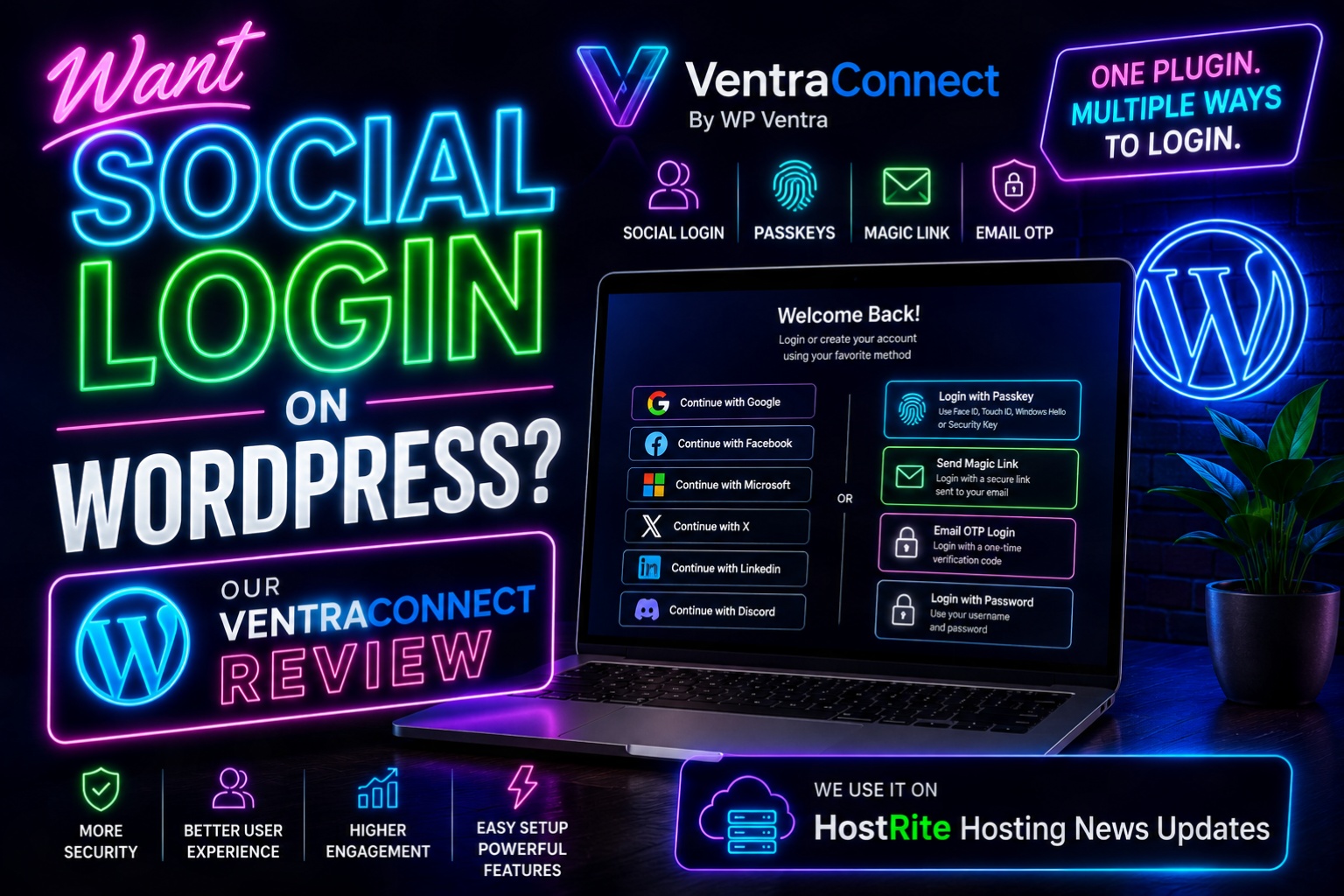
VentraConnect combines Social Login, native Passkeys, Magic Link login, and Email OTP in one WordPress authentication system.
Additionally, we are discussing more than just the plugin’s feature list.
We use VentraConnect on HostRite Hosting News Updates.
That real-world experience is an important reason we’re comfortable taking a closer look at what the plugin offers and why other WordPress website owners may want to consider it.
What Is VentraConnect?
VentraConnect is a WordPress login and authentication plugin developed by WP Ventra.
Its basic idea is refreshingly simple: give visitors modern ways to access their WordPress accounts without forcing website owners to assemble several separate authentication plugins.
VentraConnect currently combines four primary login methods:
- Social Login with more than 15 providers, including Google, Facebook, X, Microsoft, LinkedIn and Discord
- Native Passkeys using WebAuthn, including supported authentication through Face ID, Touch ID, Windows Hello, device PINs and security keys
- Magic Links that send a secure, single-use login link through email
- Email OTP, which sends a short-lived one-time verification code by email
Traditional password login can also remain available where the website owner chooses to keep it enabled. (WP Ventra)
Therefore, VentraConnect isn’t simply replacing one WordPress login button with another. It gives website owners several authentication methods inside one system.
We Use VentraConnect on HostRite Hosting News Updates
This VentraConnect review is a little different from reviewing a WordPress plugin we’ve never actually used.
We currently use VentraConnect on HostRite Hosting News Updates.
Visit HostRite Hosting News Updates
For our site, the attraction is straightforward.
We wanted to provide a convenient modern login option without unnecessarily complicating the WordPress login experience.
Social Login gives users an option they already understand. Instead of creating and remembering another password, a visitor can use an account from a supported provider to authenticate.
From our perspective as a WordPress website administrator, that makes VentraConnect especially interesting. It solves a practical problem while giving us considerably more room to expand our login system later.
We can use Social Login today while having Passkeys, Magic Links and Email OTP available within the same authentication ecosystem.
That flexibility is one of the strongest reasons we like the plugin.

Adding Social Login to WordPress
Social Login will probably be the feature that initially attracts many WordPress administrators to VentraConnect.
The plugin supports 15+ social providers. WP Ventra specifically lists services including Google, Facebook, X, Microsoft, LinkedIn and Discord among its available options. (WP Ventra)
The free version can place Social Login on standard WordPress login and registration screens.
Website owners can also choose between wide buttons containing labels and compact icon-only buttons. Global Light, Dark and Minimal themes provide additional control over their appearance. (WP Ventra)
That gives site administrators a reasonable amount of presentation control without turning the setup process into a design project.
How Difficult Is VentraConnect Social Login to Configure?
There is one thing prospective users should understand about Social Login.
Installing the WordPress plugin is only part of the setup.
Social providers generally require their own credentials. WP Ventra’s documentation recommends starting with a single provider, adding the appropriate provider credentials and testing that provider before enabling additional services. Access to the selected provider’s developer or application console is therefore required during Social Login configuration. (WP Ventra)
That isn’t unique to VentraConnect. It is part of how provider-based authentication works.
However, VentraConnect includes provider verification and diagnostic functionality that can help identify configuration problems. (WP Ventra)
Our recommendation would mirror WP Ventra’s documentation: configure one provider first, test it in a private or incognito browser window, and then add additional providers. (WP Ventra)
Social Login Isn’t the Only Reason We Like VentraConnect
This is where VentraConnect becomes considerably more interesting.
You might install it because you want Social Login. However, the plugin provides several alternatives to traditional passwords.
Native WordPress Passkeys
VentraConnect includes native WebAuthn Passkey support.
On supported devices and browsers, users can authenticate using options such as Face ID, Touch ID, Windows Hello, a device PIN or a compatible security key. (WP Ventra)
The free edition supports Passkeys in standard WordPress login, registration, profile and shortcode-based authentication flows. Existing users can also add and remove Passkeys through their WordPress profiles. (WP Ventra)
An important distinction is that WP Ventra describes this as a native implementation with no external Passkey platform. (WP Ventra)
For website owners interested in gradually reducing their reliance on passwords, Passkeys make VentraConnect much more than a conventional Social Login plugin.
Magic Link Login
Some visitors don’t want Social Login, and not everyone is ready for Passkeys.
Magic Links provide another alternative.
A user enters an email address and receives a secure, single-use link. Clicking that link allows the user to authenticate without entering a conventional password. (WP Ventra)
It is an easy concept for visitors to understand because many major online services already use similar authentication systems.
WP Ventra recommends making sure WordPress can reliably deliver email before configuring Magic Link or Email OTP authentication. (WP Ventra)
That is an important consideration. Passwordless email authentication isn’t particularly useful if the website itself has unreliable outgoing email delivery.
Email OTP Gives Users Another Choice
VentraConnect also supports Email OTP login.
Instead of clicking a Magic Link, the visitor receives a short-lived verification code through email and enters that code on the website. (WP Ventra)
Some users simply prefer codes over links.
The larger advantage, however, is choice.
A WordPress website doesn’t necessarily need to force every visitor through exactly the same authentication process. VentraConnect can provide several login methods while allowing the administrator to decide which ones make sense for the site.
VentraConnect Guardrails Address an Interesting Social Login Problem
Making registration easier can introduce an unintended problem.
If Social Login is available everywhere, visitors may create WordPress accounts from places where the administrator intended to allow only existing users to sign in.
VentraConnect addresses this with a feature called Guardrails.
Guardrails allow administrators to control whether a particular login screen can create a new account. For example, the standard WordPress login page can be restricted to existing users instead of allowing someone to silently create a new account through Social Login, Magic Link or Email OTP. (WP Ventra)
For Pro integrations, similar controls extend into supported WooCommerce, membership and LMS environments while still allowing legitimate checkout or enrollment processes to create customer or student accounts. (WP Ventra)
We think this is a particularly thoughtful feature.
Making login easier shouldn’t automatically mean surrendering control over how new WordPress accounts are created.
What Does VentraConnect Free Include?
One of the biggest positives in our VentraConnect review is how much authentication functionality WP Ventra includes without requiring the Pro edition.
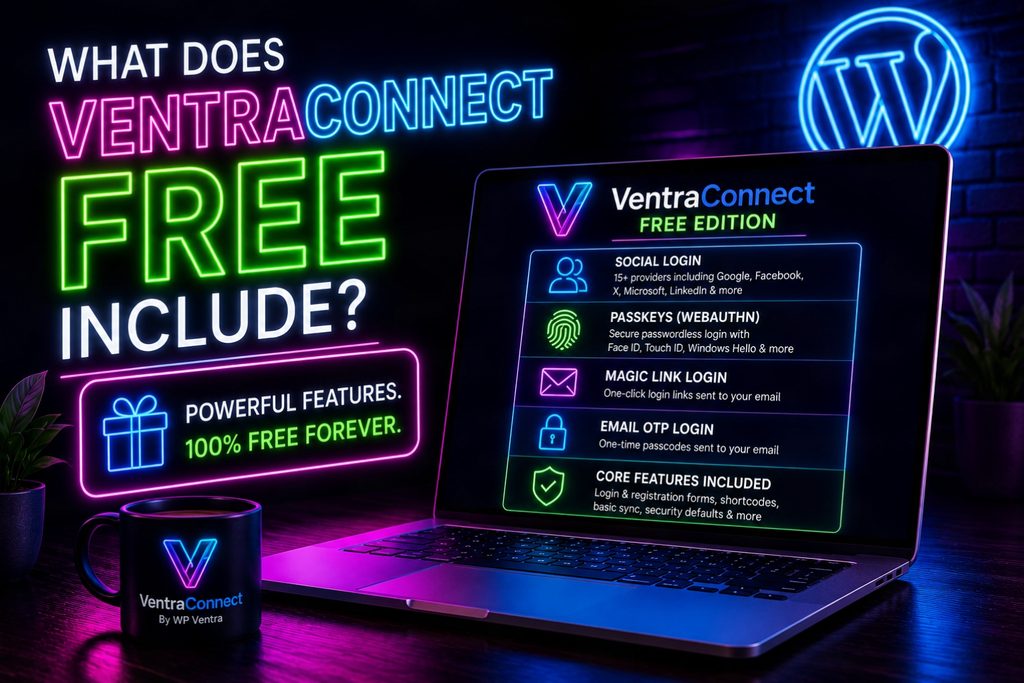
VentraConnect Free currently provides Social Login with 15+ providers, native Passkeys, Magic Link and Email OTP for standard WordPress authentication flows. It also includes global button layouts and themes, basic profile synchronization, core redirects, security defaults, shortcodes and basic diagnostics. (WP Ventra)
In other words, the free edition isn’t merely a demonstration.
For a standard WordPress website that primarily needs modern login functionality, VentraConnect Free could potentially provide everything required.
Compare VentraConnect Free and Pro
When Does VentraConnect Pro Make Sense?
VentraConnect Pro becomes more relevant when authentication needs to extend beyond standard WordPress login screens.
WP Ventra positions Pro for sites using WooCommerce, memberships, communities and learning-management systems.
Current supported integrations include WooCommerce along with MemberPress, Paid Memberships Pro, Paid Membership Subscriptions, Ultimate Member, BuddyPress, BuddyBoss, LearnDash, LearnPress, LifterLMS and Tutor LMS. (WP Ventra)
For example, WooCommerce support can extend authentication into login, checkout, registration and My Account flows.
Pro also adds advanced login placements, password phaseout controls, branded authentication emails, analytics and more extensive diagnostic capabilities. (WP Ventra)
Therefore, the decision between Free and Pro is fairly logical.
Standard WordPress site? Start with Free.
WooCommerce, membership, community or LMS site with more complicated authentication requirements? Look closely at Pro.
Passwords Phaseout Could Be Useful for the Future
VentraConnect Pro also provides an interesting feature called Passwords Phaseout.
Instead of suddenly eliminating passwords and potentially locking users out, administrators can decide how aggressively they want to transition customers toward passwordless authentication.
Social Login, Passkeys, Magic Links and Email OTP can become the primary authentication methods while protected fallback access remains available for administrators and exceptional situations. (WP Ventra)
We like the philosophy behind that approach.
Passwordless authentication shouldn’t require a website owner to gamble with administrator access.
VentraConnect Includes Login Diagnostics
Authentication problems can be frustrating because several systems may be involved.
A Social Login failure, for example, might involve WordPress, HTTPS, redirects or configuration at the external provider.
VentraConnect includes diagnostic capabilities designed to make troubleshooting easier.
The system can provide visibility into login activity and provider problems while its diagnostics can help validate items such as HTTPS, email delivery and integration readiness. (WP Ventra)
Provider settings also include verification and diagnostic tools. (WP Ventra)
For administrators, this is more useful than receiving a generic report from a user that says, “I can’t log in.”
What We Like About VentraConnect
After looking beyond Social Login, what stands out most is the amount of authentication functionality being consolidated into one plugin.
We particularly like the combination of Social Login, Passkeys, Magic Links and Email OTP.
The free version is another significant advantage. A normal WordPress site can implement the core authentication methods without immediately purchasing Pro. (WP Ventra)
We also like the Guardrails concept. Administrators can make authentication easier without necessarily allowing unrestricted account creation from every login form. (WP Ventra)
Finally, our own use of VentraConnect on HostRite Hosting News Updates gives us a practical reason to recommend that WordPress administrators at least investigate it.
What Could Be Better?
No plugin will be perfect for every WordPress site.
Social Login still requires administrators to configure individual social providers. Someone expecting to activate a plugin and instantly have every Google, Facebook or Microsoft login button operational may find the initial OAuth configuration more involved than expected.
Additionally, many of VentraConnect’s advanced integrations require Pro. WooCommerce stores, membership sites and LMS websites should carefully compare the Free and Pro feature sets before deciding which version they need. (WP Ventra)
However, we don’t consider either issue unreasonable.
External Social Login providers require configuration by nature, while keeping advanced commercial integrations in a paid version provides a logical distinction between Free and Pro.
How Much Does VentraConnect Cost?
VentraConnect has a genuinely free edition.
At the time of this review, WP Ventra lists VentraConnect Free at $0 forever. (WP Ventra)
The company is also advertising introductory launch pricing for its Pro plans. The Single Site license is currently displayed at $69 per year, reduced from $99. A five-site license is displayed at $149 per year, reduced from $199. WP Ventra says this launch pricing applies to the first 100 customers. (WP Ventra)
Because pricing and promotions can change, check WP Ventra’s current pricing page before purchasing.
See Current VentraConnect Pricing

Is VentraConnect Worth Trying?
For us, the answer is yes.
If all you want is a way to add Social Login to WordPress, VentraConnect can accomplish that. However, limiting the plugin to that description undersells what WP Ventra has built.
You’re also getting a path toward Passkeys, Magic Link authentication and Email OTP without needing to install a separate plugin for every login method. (WP Ventra)
For standard WordPress websites, the free version makes trying it especially easy.
For stores, membership websites and learning platforms, VentraConnect Pro extends those authentication options much further into the places where customers and members actually need to log in. (WP Ventra)
VentraConnect Review Verdict
Our Rating: 4.8/5
VentraConnect takes a problem nearly every WordPress website with registered users eventually encounters—login friction—and approaches it with more than one solution.
Social Login gives visitors familiar accounts they can already use. Passkeys introduce modern passwordless authentication. Magic Links remove passwords from the equation altogether, while Email OTP gives users another familiar alternative.
Meanwhile, Guardrails give administrators more control over where new accounts can actually be created.
Most importantly for this review, we aren’t recommending VentraConnect solely because its feature list sounds good. We use VentraConnect ourselves on HostRite Hosting News Updates.
If you’re running WordPress and have been wondering how to add Social Login—or perhaps move beyond passwords entirely—VentraConnect deserves a look.
Explore VentraConnect at WP Ventra