Is Yoast Still the Best WordPress SEO Plugin?
Search engine optimization can quickly become complicated. However, keywords, SEO titles, meta descriptions, internal links, structured data, and readability influence overall performance. A strong Yoast SEO Review 2026 approach helps keep it clear and organized.
Author’s Note: When this article was written and published we were using the free version of Yoast SEO. After upgrading Yoast Premium’s data scan wouldn’t complete after hours of troubleshooting and some of the premium features will not function unless this scan completes. Read our updated article and find out which SEO plugin we chose!
Additionally, WordPress users do not have to manage everything manually, per Yoast SEO Review 2026.
In this Yoast SEO Review 2026, we take a detailed look at one of WordPress’s best-known SEO plugins.
Additionally, we examine the features that make Yoast useful for everyday website owners, bloggers and publishers.
After exploring Yoast’s official website, we found it has evolved beyond its familiar red, orange, and green SEO indicators. Additionally, Yoast now blends on-page optimization with readability analysis, technical SEO, structured data, and AI tools. This shift is reflected in the Yoast SEO Review 2026.
For WordPress publishers who want SEO guidance directly inside their normal writing workflow, that combination makes Yoast particularly interesting.
What Is Yoast SEO?
Yoast SEO is a WordPress SEO plugin designed to help website owners improve how their content is understood by search engines and readers.
Instead of requiring users to memorize dozens of SEO rules, Yoast analyzes content while it is being created. It then provides feedback about areas that may need improvement.
For example, its SEO analysis examines keyphrase usage and other on-page SEO elements. Meanwhile, its separate readability analysis focuses on making content easier to understand. Yoast also offers an inclusive-language analysis. (Yoast)
Therefore, Yoast works somewhat like an SEO assistant built directly into the WordPress publishing process.
That approach is one of the biggest reasons we like it.
Our Experience With the Yoast SEO Approach
However, SEO plugins can become hard for users when they present vast technical information, Yoast SEO Review 2026.
Yoast takes a different approach.
Rather than expecting WordPress users to become an SEO professional, the plugin identifies Yoast SEO Review 2026 areas needing attention. Additionally, its familiar traffic-light system then makes those recommendations easy to understand.
Consequently, beginners can start improving content without understanding every technical detail behind the recommendation.
Experienced publishers can also benefit. Instead of manually checking every article for the same optimization basics, Yoast can act as a final quality-control checklist before publication.
However, the traffic lights should remain a guide rather than becoming the sole objective of writing an article.
More on that later.
Yoast SEO Analysis Is One of Its Strongest Features
The SEO analysis remains at the heart of the Yoast experience.
You choose a focus keyphrase that represents the main search topic of your article. Yoast then evaluates how effectively the page has been optimized.
The analysis can help identify whether the keyphrase appears in appropriate places. Furthermore, it evaluates other elements of the content, metadata and links. (Yoast)
This makes the tool particularly useful before publishing.
For example, a writer can create an article naturally first. Afterward, Yoast can highlight basic SEO opportunities that may have been overlooked.
That workflow is much easier than trying to remember every optimization rule while simultaneously writing useful content.
The Traffic-Light System Makes SEO Easier to Understand
One of Yoast SEO’s most recognizable features is its traffic-light approach.
Green generally indicates that an element is performing well. Orange or red indicates that an area deserves another look.
The concept is extremely simple.
Nevertheless, simplicity is valuable.
SEO involves many individual elements. When those elements are presented as a long technical report, beginners can easily become overwhelmed.
Yoast turns much of that information into actionable recommendations.
As a result, you can work through problems individually instead of wondering where to begin.
Yoast Readability Analysis Is Excellent for WordPress Writers
Our Yoast SEO Review would be incomplete without discussing readability.
In fact, this may be one of the plugin’s most valuable everyday features.
Search optimization should never result in articles that sound robotic or become difficult to read.
Yoast’s readability analysis helps prevent that problem.
The tool provides feedback designed to make content easier for people and machines to understand. It exists alongside Yoast’s SEO and inclusive-language analyses. (Yoast)
Therefore, writers receive feedback on more than keywords.
That matters because an article can technically contain an appropriate keyphrase while still being unpleasant to read.
Transition Words Can Make Articles Flow Better
Transition words help connect ideas.
Words and phrases such as therefore, however, additionally, consequently, meanwhile, for example, because, furthermore and finally can make relationships between sentences clearer.
Yoast’s readability approach encourages writers to think about how smoothly one idea leads into another.
However, transition words should be used naturally.
Adding “therefore” or “furthermore” to every other sentence simply to satisfy an analysis tool can make writing worse rather than better.
The best approach is to use transitions where they genuinely improve the reader’s understanding.
Shorter Paragraphs Make Online Content Easier to Scan
Large blocks of text can be difficult to read on a phone.
Therefore, breaking an article into shorter paragraphs often improves the reading experience.
This is another area where having a readability tool inside WordPress becomes useful.
Instead of writing an enormous article and discovering readability problems afterward, publishers can identify issues during the editing process.
Furthermore, headings can divide longer articles into logical sections.
The result is content that is easier to scan.
Yoast Helps With SEO Titles and Meta Descriptions
A good article needs more than a good headline.
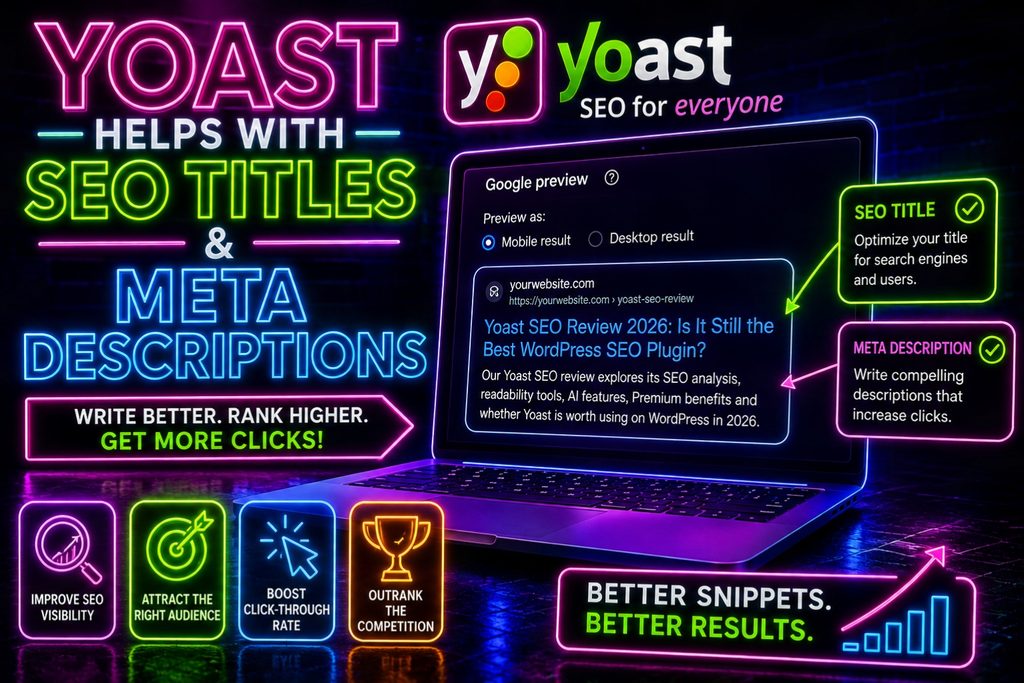
Search engines may display an SEO title and description when the page appears in search results.
Yoast provides a content preview that lets users see how their pages may appear in search. Users can edit the SEO title, slug and meta description from this workflow. (Yoast)
This is extremely useful.
A WordPress post title may work perfectly on the website but be too long or poorly structured for search results.
With Yoast, you can optimize these elements separately.
Search and Social Previews Are Another Useful Feature
Yoast’s content-preview tools extend beyond entering metadata.
The plugin provides a Google preview to help users visualize how content may appear in search results. It also includes social-preview functionality for controlling how shared content is presented. (Yoast)
That can be particularly valuable for publishers who distribute articles through social media.
Instead of treating search and social sharing as completely separate publishing tasks, Yoast brings those controls closer to the WordPress writing workflow.
Yoast SEO Has Become Much More AI Focused
Yoast has changed considerably as AI has become more important to online publishing and discovery.
For example, Yoast added automatic llms.txt functionality in 2025. In March 2026, it added Schema Aggregation. Then, in May 2026, Yoast introduced its AI Content Planner. (Yoast)
The company is now explicitly positioning its tools around visibility in both traditional search engines and AI systems.
Its current AI-oriented features include Schema Aggregation and llms.txt support. Depending on the Yoast product, additional tools include AI Generate, AI Optimize, AI Summarize, Content Planner and AI Brand Insights. (Yoast)
That evolution makes sense.
People increasingly discover information through traditional search results and AI-generated answers. Therefore, modern SEO tools have to consider both environments.
Yoast Can Automatically Generate an llms.txt File
One particularly interesting addition is llms.txt support.
Yoast says its system can automatically generate a customizable llms.txt file designed to provide AI systems with a structured summary of website content. (Yoast)
This feature is included with the free Yoast SEO product as well as Premium and other Yoast offerings. (Yoast)
Whether llms.txt becomes a universally important web standard remains to be seen.
Nevertheless, its inclusion demonstrates that Yoast is actively preparing its plugin for an internet where AI systems increasingly consume and interpret website content.
Schema Aggregation Is Another Forward-Looking Feature
Structured data helps machines understand what content represents.
Yoast introduced Schema Aggregation in March 2026. According to the company, the feature consolidates structured data into a standardized graph that AI systems can process more efficiently. (Yoast)
Importantly, Schema Aggregation is available in the free Yoast SEO plugin as well as its higher-tier products. (Yoast)
This is the type of technical feature many ordinary WordPress users would probably never implement manually.
That’s precisely where a comprehensive SEO plugin can provide substantial value.
Yoast Premium Adds AI Generate
Writers sometimes spend almost as much time thinking about titles and meta descriptions as they spend editing the article.
Yoast Premium attempts to make that process easier.
Its AI Generate feature can create SEO-oriented titles and meta descriptions based on the actual content of a page. Users receive multiple options and can accept, reject or modify the suggestions. (Yoast)
Importantly, users retain control.
That is the right approach to AI-assisted publishing.
AI can provide a starting point. However, the website owner should still determine whether the resulting title accurately represents the content.
Yoast AI Optimize Can Help Refine Content
Premium users also gain access to AI-assisted optimization tools.
Yoast currently describes AI Optimize as providing AI-powered suggestions for selected SEO checks. Users can apply, dismiss or edit those recommendations. (Yoast)
Again, keeping the writer in control is important.
Automatically rewriting an entire article simply to satisfy an SEO algorithm could easily damage the author’s voice.

Yoast AI Content Planner Addresses an Important Problem
One of Yoast’s newer features is the AI Content Planner, introduced in May 2026.
Instead of only optimizing articles after they have been written, the planner can identify gaps in existing content and help turn a topic into a structured draft. (Yoast)
This moves Yoast further into content strategy.
For websites publishing frequently, identifying what to write next can be almost as challenging as optimizing the finished article.
Therefore, content-planning assistance could become particularly useful for larger blogs and publishing operations.
Yoast Now Provides a Site-Wide SEO Dashboard
Optimizing individual articles is useful.
However, large websites can contain hundreds or thousands of pages.
Yoast’s dashboard addresses that challenge by providing site-wide SEO and readability information. Additionally, users can connect Site Kit by Google to view Search Console and Analytics information alongside those scores. (Yoast)
The dashboard can show information such as impressions, clicks, click-through rate, position and sessions when the appropriate Google data is connected. (Yoast)
Better still, Yoast says its dashboard is included with the free plugin.
For publishers managing a substantial content library, that can provide a useful starting point for identifying pages that need attention.
Yoast SEO Also Handles Technical SEO Behind the Scenes
Not every useful SEO feature appears as a colorful writing recommendation.
Yoast also handles technical elements that many website owners would otherwise have to configure manually.
Its developer documentation covers XML sitemaps, SEO tags, OpenGraph data, robots.txt functionality, llms.txt, Schema.org markup, HTTP headers and other technical SEO components. (Yoast developer portal)
This behind-the-scenes functionality is easy to overlook.
However, it is one reason an SEO plugin can be valuable even when someone already understands how to write optimized content.
Content optimization and technical SEO are related, but they are not the same thing.
Yoast addresses both.
Internal Linking Tools Can Save Time
Internal links help readers discover related content.
They also help establish relationships between pages.
Yoast Premium includes smarter content tools such as internal-linking suggestions. The Premium package also includes redirect automation. (Yoast)
These features become increasingly valuable as a website grows.
Finding an appropriate related article manually is easy when a website contains 20 posts.
Finding the best related article becomes considerably harder when the site contains 2,000.
Therefore, internal-linking assistance can save publishers substantial time.
Redirect Management Is Useful When Websites Change
Websites evolve.
Articles get deleted. URLs change. Categories are reorganized.
Those changes can leave visitors and search engines encountering dead URLs.
Yoast Premium includes proactive redirect functionality designed to help publishers manage these situations. (Yoast)
Again, this feature becomes more valuable as a website becomes larger.
Small websites may rarely change URLs.
Large publishing websites do it regularly.
Yoast SEO Academy Adds Educational Value
Yoast doesn’t only provide software.
It also operates the Yoast SEO Academy, which includes education covering SEO, WordPress and Yoast products. (Yoast)
This complements the plugin nicely.
A traffic light can tell you that something should be improved.
Education can help explain why it should be improved.
Premium customers currently receive full access to Yoast SEO Academy. (Yoast)
For beginners who want to become better at SEO rather than simply follow plugin recommendations, the educational component adds meaningful value.
Free Yoast SEO vs. Yoast SEO Premium
The free version is more capable than some people might expect.
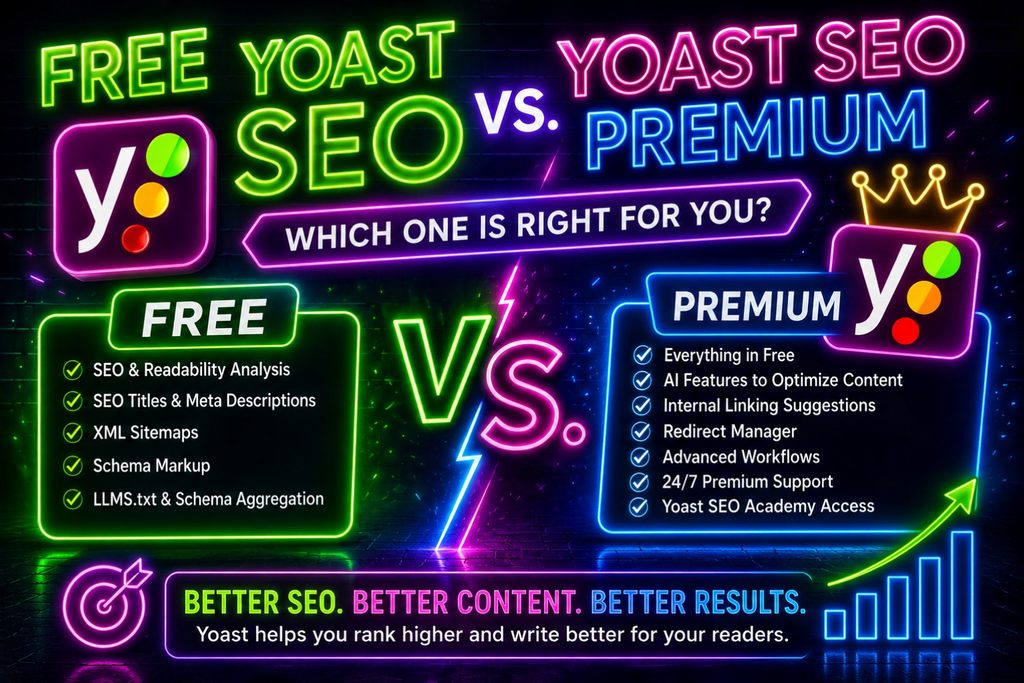
It provides the core SEO analysis, readability tools and technical functionality necessary for many WordPress websites. Current free functionality also extends into newer areas such as llms.txt and Schema Aggregation. (Yoast)
Premium expands the experience considerably.
Yoast currently highlights AI-enhanced optimization, internal-linking suggestions, redirect automation, advanced workflow tools, Yoast SEO Academy access and 24/7 support as Premium benefits. (Yoast)
Therefore, the decision largely depends on the complexity of your website.
A small personal blog may be perfectly comfortable with the free plugin.
Meanwhile, a business, publisher or large content site may benefit from the additional automation and workflow features in Premium.
How Much Does Yoast SEO Premium Cost?
At the time of this review, Yoast lists Yoast SEO Premium at $118.80 per year, excluding VAT. (Yoast)
Because software pricing can change, check the current price before purchasing.
View current Yoast plans and pricing
The important question isn’t simply whether $118.80 is expensive or inexpensive.
Instead, ask how much time the Premium features could save.
For a website publishing several articles every day, better internal-linking assistance, redirect management, AI tools and workflow improvements could easily become more valuable than they would be for someone publishing once a month.
What We Like About Yoast SEO
Several strengths stood out while preparing this Yoast SEO Review:
- Excellent real-time SEO guidance makes optimization approachable.
- Readability analysis encourages content written for people rather than search engines alone.
- Free version offers substantial functionality, including modern technical features.
- SEO titles, descriptions and previews are integrated directly into the publishing workflow.
- Technical SEO features handle tasks many users would otherwise need to configure manually.
- AI features are increasingly useful without completely removing human control.
- Internal-linking and redirect tools add value for larger websites.
- Yoast SEO Academy can help users understand SEO rather than merely chase green indicators.
- AI-discovery features show that Yoast is adapting to changes in how online information is found.
Those strengths make the plugin particularly attractive to WordPress publishers who want one central SEO toolkit.
What Could Be Better?
No SEO plugin is perfect.
Our biggest caution involves the same feature that makes Yoast so appealing: its analysis scores.
Seeing a green indicator can become addictive.
Publishers may start changing perfectly good sentences simply because a plugin wants another transition word. Likewise, writers can become overly concerned with achieving green results instead of creating genuinely useful content.
That would be a mistake.
Yoast itself describes its SEO analysis as guidance intended to help users follow best practices without losing sight of site visitors. (Yoast)
That’s exactly how we believe it should be used.
Optimize for the reader first. Use Yoast to identify opportunities second.
Additionally, some of the most attractive automation and AI features require a paid product. Therefore, users should compare Premium’s advantages against their actual publishing needs.
Should You Try to Get Every Yoast Indicator Green?
Getting green indicators is a useful objective.
However, getting every single indicator green should never be more important than the quality of the article.
Consider readability.
A writer might artificially shorten sentences, insert unnecessary transition words or repeat a keyphrase simply because an analysis recommends a change.
Technically, the score may improve.
Yet the article could become worse.
Instead, treat Yoast as an experienced editor making suggestions.
Review each recommendation.
Accept the ones that genuinely improve the article.
Ignore or adapt recommendations that would make the writing unnatural.
Ultimately, search engines want to connect people with useful information—not pages written solely to satisfy plugin tests.
Is Yoast SEO Good for Beginners?
Yes.
In fact, beginners may benefit from Yoast more than experienced SEO professionals.
The traffic-light system provides immediate direction.
Instead of asking, “Is this article optimized?” a beginner receives individual areas to investigate.
Furthermore, Yoast provides free educational resources, a help center and support forums for its free WordPress plugins. Premium subscribers receive 24/7 support. (Yoast)
That combination makes the learning curve considerably easier.
Is Yoast SEO Good for Bloggers and News Websites?
We think so.
Frequent publishers face a unique challenge.
SEO optimization must happen quickly.
A blogger or news publisher may not have time to conduct a complete manual SEO audit every time an article is published.
Yoast’s real-time analysis can act as a pre-publication checklist.
Meanwhile, readability feedback can help writers identify overly complicated passages before publishing.
Internal-linking assistance becomes increasingly useful as the article archive expands.
For those reasons, Yoast makes considerable sense for content-heavy WordPress websites.
Can Yoast SEO Guarantee Higher Google Rankings?
No.
And neither can any other legitimate WordPress SEO plugin.
Yoast can help make content technically cleaner, easier to understand and better aligned with SEO best practices.
However, rankings depend on many factors beyond an SEO plugin.
Competition, search intent, content quality, website authority, backlinks, technical performance, user experience and the usefulness of the information can all matter.
Therefore, installing Yoast does not automatically produce search traffic.
Think of Yoast as a tool that helps remove avoidable SEO mistakes.
The website owner still has to create something worth finding.
Does Yoast SEO Work With AI-Generated Content?
Yes, but AI-generated content still benefits from human review.
Interestingly, Yoast’s own product direction increasingly combines AI tools with human control.
For example, AI Generate creates suggestions that users can accept, reject or edit. Likewise, AI Optimize allows recommendations to be applied, dismissed or modified. (Yoast)
We think that is the correct model.
AI can accelerate content production.
However, people should still verify facts, improve originality, add genuine experience and ensure that the final article actually answers the reader’s question.
Yoast can analyze the resulting page, but it cannot magically turn weak information into valuable content.
Frequently Asked Questions About Yoast SEO
Is Yoast SEO free?
Yes. Yoast offers a free WordPress SEO plugin with SEO analysis, readability functionality and numerous technical SEO features. (Yoast)
Is Yoast SEO Premium worth paying for?
It can be. Publishers who value AI optimization, internal-linking suggestions, redirect automation, advanced workflows, Yoast SEO Academy and Premium support may find the upgrade worthwhile. Smaller websites may find the free version sufficient. (Yoast)
Does Yoast SEO improve readability?
Yoast includes a dedicated Readability Analysis that provides feedback designed to help make content easier to understand. (Yoast)
Does Yoast SEO support AI search?
Yoast has increasingly introduced features designed around AI discovery. Current functionality includes Schema Aggregation and llms.txt, while paid offerings provide additional AI tools. (Yoast)
Can Yoast generate SEO titles and meta descriptions?
Yes. Yoast’s AI Generate feature can produce SEO titles and meta descriptions based on page content. It is available with qualifying paid Yoast products, including Yoast SEO Premium. (Yoast)
Does Yoast handle technical SEO?
Yes. Yoast’s technical functionality includes areas such as XML sitemaps, SEO tags, OpenGraph information, Schema.org markup, robots.txt functionality and other technical elements. (Yoast developer portal)
Does Yoast guarantee first-page rankings?
No. Yoast can help optimize a website, but no SEO plugin can legitimately guarantee a particular Google ranking.
Yoast SEO Review Verdict: Is Yoast Worth It in 2026?
After exploring Yoast’s current platform and features, our verdict is positive.
Yoast SEO remains one of the most complete and approachable SEO tools available to WordPress publishers.
Its biggest advantage isn’t one spectacular feature.
Instead, it’s the way many useful SEO tools work together.
You can write an article, analyze its focus keyphrase, improve readability, optimize the SEO title and meta description, preview search appearance and handle important technical SEO tasks without leaving the WordPress workflow.
Meanwhile, Yoast continues to evolve.
Features such as Schema Aggregation, llms.txt, AI Generate, AI Optimize, AI Content Planner and AI Brand Insights demonstrate that the company is trying to adapt its SEO platform to a world where websites need visibility in traditional search engines and AI-driven discovery systems. (Yoast)
Our main recommendation is simple: don’t become obsessed with the traffic lights.
Use them as guidance.
Create useful content first. Then use Yoast to make that content easier for readers, search engines and increasingly AI systems to understand.
For WordPress publishers who want that type of guidance directly inside their publishing workflow, Yoast SEO is easy for us to recommend.
Overall Rating: 4.8/5
Visit Yoast and explore Yoast SEO