NitroPack WordPress Review: Real-World Speed Test & Review
Moreover, Ultimate NitroPack WordPress Review 2026 asks what happens when you install a performance plugin on a real site.
Author’s Note: We have finished a review on BerqWP, a very similar plugin to Nitropak. You will find this review very intresting (and easier on your wallet) Read It Here!
That’s the perspective behind this NitroPack WordPress Review.
HostRite Cloud Hosting is currently using NitroPack on both HostRite News at news.hostrite.net and our parent HostRite Cloud Hosting website at hostrite.net. Therefore, this isn’t simply a review based on reading a list of NitroPack features.
We actually use it.
More importantly, our real-world experience with NitroPack has been extremely positive.
Two things immediately stood out to us.
First, NitroPack was remarkably easy to set up. Install the plugin, start set-up, connect to NitroPack, and five minutes later you are ready. In this Ultimate NitroPack WordPress Review 2026, we examine ease of setup for beginners. Note that both production sites use the default auto-setup settings; nothing was manually configured.
Second, it is fast. Really fast. We invite you to test both of our production sites over at Pingdom Tools across all countries available. Note, both of our production websites are hosted in our USA Data Center.
HostRite has previously used other popular WordPress performance solutions, including Jetpack and W3 Total Cache. Based specifically on our experience with our own websites and configurations, NitroPack has produced noticeably faster real-world performance for us than either Jetpack or W3 Total Cache.
That doesn’t mean every website will produce identical results. WordPress performance depends on hosting, themes, plugins, content, configuration and numerous other factors.
However, on our websites, the difference is substantial.
Additionally, this difference is evident.
That real-world experience is one of the biggest reasons this NitroPack WordPress Review earns such a positive recommendation from HostRite.
What Is NitroPack?
NitroPack WordPress Review notes that the service is an all-in-one website performance optimization solution with dedicated WordPress integration.
Calling it simply a WordPress cache plugin doesn’t really describe the service.
Caching is certainly important. However, NitroPack combines caching with a much broader optimization system.
Its current platform includes more than 60 performance features, including:
- Advanced caching
- Cache warm-up
- Smart cache invalidation
- Image optimization
- WebP conversion
- Lazy loading
- JavaScript optimization
- CSS optimization
- HTML optimization
- Font optimization
- Video optimization
- Built-in CDN
- Resource compression
- Core Web Vitals optimization
Moreover, NitroPack performs its optimization work through its own infrastructure rather than placing all of that processing on the hosting server. (NitroPack)
For HostRite, that all-in-one design is one of NitroPack’s biggest advantages.
HostRite Is Actually Using NitroPack on Our WordPress Websites
We want to emphasize this throughout our NitroPack WordPress Review because it separates this article from a generic product overview.
HostRite is currently using NitroPack on two live websites:
HostRite News — news.hostrite.net
HostRite Cloud Hosting — hostrite.net
Therefore, our opinion is based on installing and using NitroPack on actual production websites.
We’re not simply repeating a company’s claim that its product is fast.
We’re seeing the speed ourselves.
We’re also experiencing how easy NitroPack is to manage as a website owner.
And when comparing NitroPack with WordPress performance solutions we’ve previously used, the difference has been impressive enough that we believe it deserves to be highlighted prominently in this review.
NitroPack WordPress Review: Setup Was Surprisingly Easy
Moreover, this may be one of our favorite things about NitroPack.
Website performance optimization has a reputation for being complicated—and sometimes that reputation is deserved.
Anyone who has spent time configuring advanced WordPress caching knows what can happen.
You’re suddenly looking at pages filled with settings involving:
- Page caching
- Browser caching
- Object caching
- Database caching
- CSS minification
- JavaScript minification
- CDN configuration
- Cache expiration
- File exclusions
- Script exclusions
- Compression
Then you begin wondering which settings should be enabled.
NitroPack was a refreshing change.
Its WordPress integration is designed around a relatively straightforward installation and connection process.
Install the WordPress plugin, connect the website to NitroPack, choose the appropriate optimization configuration and let NitroPack begin doing its work.
NitroPack itself advertises the ability to speed up a WordPress website in less than five minutes, while its documentation walks users through connecting a WordPress site using a straightforward account and plugin connection process. (NitroPack)
Our HostRite experience closely matches that emphasis on simplicity.

You Don’t Have to Be a WordPress Performance Expert
This is where NitroPack becomes especially appealing to us.
You shouldn’t have to become a performance engineer just to make a WordPress website load quickly.
NitroPack handles much of the complicated work automatically.
The company describes its small-business approach as essentially getting a fast website in minutes—install it, configure it and allow the system to handle the optimization. (NitroPack)
That’s very close to our real-world experience.
There are advanced options available if you want greater control.
However, you don’t necessarily have to understand every detail of Critical CSS, JavaScript execution, image conversion, CDN configuration and cache invalidation before NitroPack can start improving the website.
That simplicity is a significant advantage.
NitroPack Test Mode Makes Setup Even Easier
We also appreciate that NitroPack provides a Test Mode.
This lets website owners experiment with optimization settings without immediately exposing those changes to regular visitors.
NitroPack’s documentation explains that Test Mode lets you preview optimized pages separately, making it possible to test different configurations and check website design and functionality before applying those settings to normal live traffic. (NitroPack Help Center)
That’s particularly useful if you operate an established WordPress website.
Speed is important.
Breaking your website to get more speed isn’t.
Test Mode provides a sensible way to experiment first.
NitroPack WordPress Review: It Is Fast—Really Fast
However, this is the part of Ultimate NitroPack WordPress Review 2026 that impressed HostRite the most.
Speed.
After setting up NitroPack on our websites, our NitroPack WordPress Review shows that the sites are extremely fast.
Pages feel responsive.
Cached content appears quickly.
Navigation between pages feels snappy.
For us, the speed improvement isn’t something we need to stare at a benchmark chart to notice.
You can feel it while using the website.
That’s ultimately what matters most to us.
Visitors don’t arrive at your website carrying a stopwatch.
They click.
They scroll.
They navigate.
They read.
They expect the website to respond.
From HostRite’s real-world perspective, NitroPack has done an excellent job making our WordPress sites feel exceptionally responsive.
NitroPack Has Been Way Faster for HostRite Than Jetpack
HostRite has experience using Jetpack-related WordPress performance functionality.
Jetpack Boost itself provides performance functionality including page caching and optimization of assets such as CSS, JavaScript and images. (Jetpack)
However, our own real-world experience favors NitroPack considerably.
On the HostRite websites and configurations where we’ve used these tools, NitroPack has felt noticeably faster.
In fact, our experience is that NitroPack is way faster than the Jetpack performance setup we previously used.
Again, that’s a statement about HostRite’s actual experience, not a promise that every WordPress installation will reproduce our results.
Different websites contain different themes, plugins, scripts and server environments.
Nevertheless, if someone asked us which one has delivered the stronger speed experience on our websites, our answer would be easy:
NitroPack.
NitroPack Has Also Been Way Faster for HostRite Than W3 Total Cache
We’ve also had experience with W3 Total Cache.
W3 Total Cache has been a well-known WordPress performance and caching solution for years, and it provides extensive control over WordPress caching.
However, extensive control can also mean considerably more configuration.
NitroPack takes a different approach.
Instead of requiring the website owner to assemble and configure many pieces of the performance puzzle, NitroPack handles much of the optimization through its own infrastructure and integrates caching, images, code optimization and CDN delivery into one service. (NitroPack Help Center)
For HostRite, NitroPack has not only been easier—it has also been significantly faster in our real-world use.
That’s a powerful combination.
Usually, software makes you choose between simplicity and advanced performance.
With NitroPack, our experience has been that we’re getting both.
Why Our Jetpack and W3 Total Cache Comparison Is a Real-World Comparison
We want to be very clear about this distinction.
We’re not claiming:
NitroPack will always be faster than Jetpack or W3 Total Cache on every website.
That would be impossible to guarantee.
We’re saying:
HostRite has used these solutions, and on our websites, NitroPack has delivered a considerably faster real-world experience.
That’s an important difference.
WordPress performance can depend on:
- Hosting environment
- PHP configuration
- Database
- Theme
- Plugins
- Images
- Advertising
- JavaScript
- CSS
- Traffic
- Geographic visitor location
- Cache configuration
Consequently, another website owner may see different results.
However, this is a HostRite user review, and our own experience is the reason we’re comfortable being so positive about NitroPack.
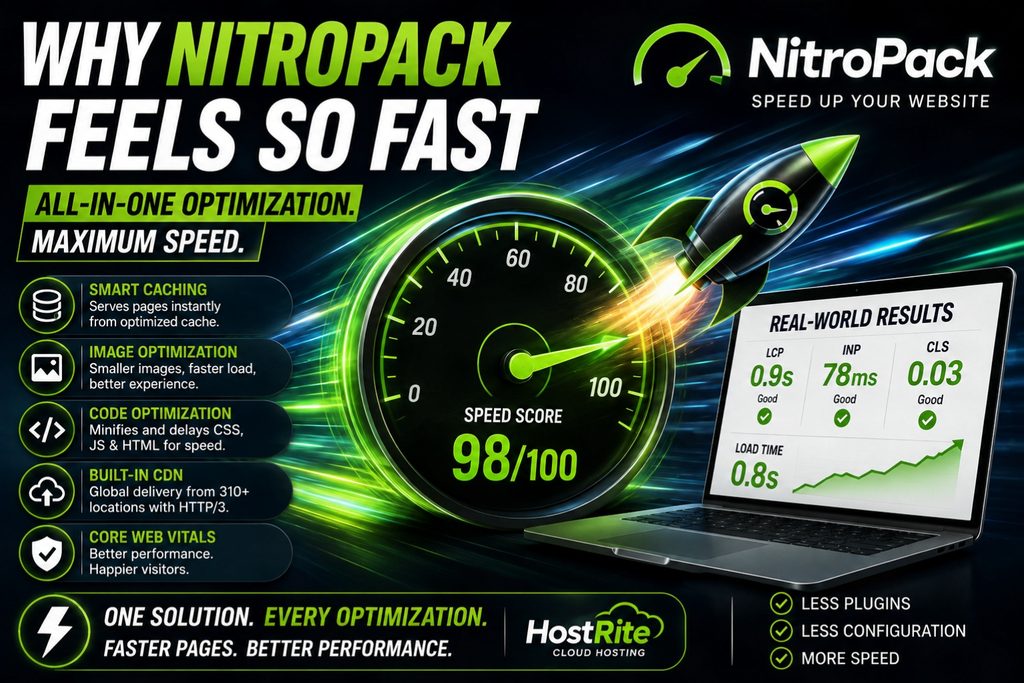
Why NitroPack Feels So Fast
There isn’t one magic feature responsible for NitroPack’s performance.
Instead, several optimization technologies work together.
NitroPack currently combines more than 60 performance features, including smart caching, optimized images, faster JavaScript and CSS delivery, lazy loading and its built-in CDN. (NitroPack)
That’s important.
A website can have excellent page caching and still suffer from enormous images.
Optimize the images, and JavaScript might become the bottleneck.
Fix the JavaScript, and inefficient CSS might still interfere with rendering.
NitroPack attacks these problems collectively.
Caching + Images + CSS + JavaScript + Fonts + Lazy Loading + CDN
That’s why we think the all-in-one approach works so well.
NitroPack Performs the Heavy Optimization Work in the Cloud
Another significant difference is how NitroPack performs optimization.
NitroPack says its optimization processing happens in its cloud infrastructure rather than forcing the hosting server to perform all of that additional work. (NitroPack Help Center)
That’s particularly interesting from HostRite’s perspective as a hosting provider.
A WordPress optimization service shouldn’t unnecessarily consume the same server resources it’s attempting to conserve.
By offloading optimization processing, NitroPack can perform sophisticated optimization without adding the same type of processing overhead directly to the hosting account.
That’s a clever architecture.
NitroPack Does Not Replace Good Hosting
Even though NitroPack is extremely fast in our experience, it doesn’t make quality hosting irrelevant.
Quite the opposite.
We think the best performance comes from combining a good foundation with good optimization.
At HostRite, we think of the relationship like this:
HostRite Cloud Hosting = Hosting foundation
WordPress = Website platform
NitroPack = Performance optimization
The hosting server still handles critical underlying work.
NitroPack then helps optimize how WordPress content and resources are cached and delivered.
Even NitroPack’s own current WordPress performance guidance emphasizes that website speed is a combination of hosting quality, caching, image optimization and CDN delivery. (NitroPack)
That’s a philosophy we agree with.
NitroPack’s Advanced Caching Makes WordPress Feel Responsive
Caching is still at the heart of NitroPack’s performance.
WordPress normally performs PHP processing and database operations to generate dynamic pages.
Caching allows pre-built versions of those pages to be delivered instead.
NitroPack says its caching system currently serves about 90% of requests instantly from cache, while its platform reports load times under 2.75 seconds across its measured data. Those are NitroPack’s platform-wide figures rather than a guarantee for an individual site. (NitroPack)
Our recommendation isn’t based solely on those statistics.
Our HostRite sites actually feel extremely fast when navigating cached pages.
That’s more meaningful to us than marketing numbers alone.
Cache Warm-up Helps Make the First Visit Fast Too
One of NitroPack’s useful caching features is Cache Warm-up.
Instead of waiting for organic traffic before preparing optimized content, Cache Warm-up proactively prepares optimized versions of the homepage and linked pages. (NitroPack Help Center)
That can be important after a cache purge.
Without warm-up, the first visitor may have to trigger optimization.
With warm-up, optimized pages can already be prepared.
This helps explain why NitroPack can feel so consistently fast rather than only becoming fast after pages have already received traffic.
Smart Cache Invalidation Avoids Unnecessary Cache Clearing
WordPress websites change frequently.
You publish an article.
Edit a page.
Update a menu.
Change a product.
A less sophisticated caching system may respond by clearing large amounts of cached content.
NitroPack’s Smart Cache Invalidation is designed to identify affected content and refresh what’s necessary instead of treating every change as a reason to rebuild everything. (NitroPack)
That’s another behind-the-scenes feature that helps keep optimization practical on an active website.
Image Optimization Is Especially Valuable for HostRite News
HostRite News naturally contains a lot of imagery.
Featured images and supporting graphics are an important part of publishing.
Unfortunately, images can also become some of the heaviest resources on a webpage.
NitroPack combines image compression, WebP conversion, adaptive sizing and lazy loading within its optimization platform. (NitroPack Help Center)
For an image-heavy WordPress website, that’s a major advantage.
Instead of relying on a separate image optimization plugin, we can have image performance handled as part of the same NitroPack system.
Lazy Loading Keeps Long Articles From Loading Everything at Once
Long-form articles can contain numerous images and embedded resources.
However, someone reading the first paragraph doesn’t immediately need every image at the bottom.
NitroPack uses advanced lazy loading to detect images, iframes and even background images referenced in CSS. (NitroPack Help Center)
Therefore, resources can be delayed until they’re actually needed.
That reduces unnecessary work during the initial page load.
NitroPack Optimizes JavaScript and CSS
Caching isn’t enough if a website still forces the browser to process large amounts of inefficient code.
NitroPack also optimizes JavaScript and CSS.
Its current feature set includes JavaScript deferral, Critical CSS, non-critical CSS deferral and unused CSS optimization. (NitroPack)
This is another area where the all-in-one approach becomes valuable.
Instead of installing a caching plugin and then hunting for another tool to solve front-end code problems, NitroPack handles both.
NitroPack’s Built-In CDN Adds Another Layer of Speed
The built-in CDN is one of our favorite NitroPack features.
NitroPack currently uses a Cloudflare-powered global CDN with more than 310 edge locations. It supports HTTP/3, Brotli and GZIP compression, edge caching, TLS 1.3 and DDoS mitigation. (NitroPack)
Better yet, NitroPack says the CDN requires no separate manual setup for ordinary NitroPack use because it’s integrated directly into the service. (NitroPack)
That fits perfectly with our experience of NitroPack being easy to configure.
You aren’t installing one plugin and then separately trying to figure out how to connect another CDN product.
It’s already part of the system.
NitroPack WordPress Review: Easy Setup + Serious Speed Is the Winning Combination
If we had to summarize HostRite’s experience in one sentence, it would be:
NitroPack gives us serious WordPress speed without serious setup headaches.
That’s what separates it for us.
We’ve used WordPress caching and optimization tools where achieving maximum performance requires substantial experimentation.
NitroPack was different.
Installation was straightforward.
Connection was straightforward.
Optimization began quickly.
And most importantly:
The performance difference was immediately noticeable.
For HostRite, that’s exactly what a WordPress performance product should accomplish.
Core Web Vitals Are Part of the Bigger Picture
NitroPack also places substantial emphasis on Google’s Core Web Vitals.
The major measurements include:
Largest Contentful Paint (LCP) — loading performance.
Interaction to Next Paint (INP) — responsiveness.
Cumulative Layout Shift (CLS) — visual stability.
Caching, Critical CSS, image optimization, resource loading and CDN delivery can all contribute to improving these areas.
However, HostRite doesn’t recommend obsessing exclusively over benchmark scores.
A website should feel fast to a real person.
That’s one of the reasons our real-world NitroPack experience matters so much to us.
Does NitroPack Help SEO?
Website performance is one component of a much broader SEO strategy.
However, no legitimate NitroPack WordPress Review should promise that installing a performance plugin automatically creates higher Google rankings.
It doesn’t.
SEO also depends on content quality, relevance, authority, competition, links, technical structure and numerous other factors.
Nevertheless, a faster and more usable website is generally preferable to a slow one.
Therefore, we view NitroPack as a performance tool that can support a broader SEO strategy, rather than an automatic ranking solution.
NitroPack Reduces the Need for Multiple WordPress Performance Plugins
This is another major advantage.
Without an all-in-one solution, you might need separate products for:
Caching
Image optimization
Lazy loading
CSS optimization
JavaScript optimization
CDN
Compression
NitroPack combines those functions.
In fact, NitroPack reports that 87% of its users say they no longer pay for extra caching plugins, compression tools or other CDN services after adopting NitroPack. (NitroPack)
That’s NitroPack’s user statistic, but the overall concept matches what HostRite likes about the product.
Fewer overlapping optimization tools can mean fewer things to configure and troubleshoot.
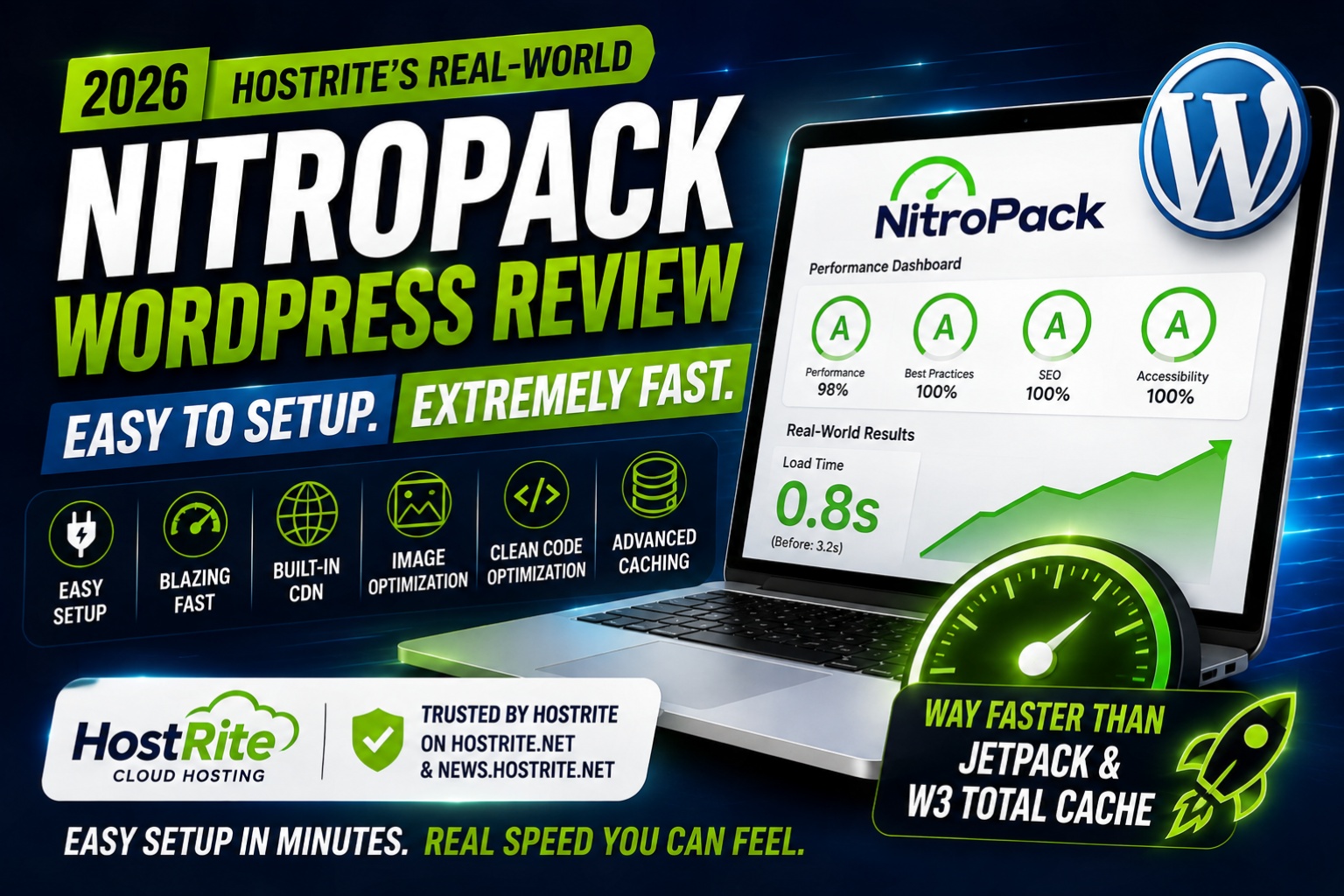
Frequently Asked Questions About Our NitroPack WordPress Review
Is HostRite Actually Using NitroPack?
Yes.
HostRite currently uses NitroPack on news.hostrite.net and hostrite.net.
This NitroPack WordPress Review is based partly on our real-world experience using the product on those websites.
Is NitroPack Easy to Install on WordPress?
In our experience, yes—very easy.
NitroPack’s official WordPress documentation also emphasizes a simple connection process, and the company says a WordPress website can be optimized in less than five minutes. (NitroPack)
Is NitroPack Fast?
On HostRite’s websites, yes. Extremely fast.
Our real-world experience has been one of the main reasons we’re so positive about NitroPack.
Is NitroPack Faster Than Jetpack?
It has been for HostRite.
On the websites and configurations we’ve personally used, NitroPack has delivered noticeably faster real-world performance than our previous Jetpack-based performance setup.
However, results can vary by website.
Is NitroPack Faster Than W3 Total Cache?
Again, it has been substantially faster in HostRite’s experience.
That doesn’t establish a universal benchmark for every WordPress website. However, based on our actual use, we strongly prefer NitroPack’s combination of performance and ease of configuration.
Does NitroPack Include a CDN?
Yes.
NitroPack includes a Cloudflare-powered CDN with more than 310 global edge locations, according to NitroPack’s current CDN documentation. (NitroPack)
Do I Have to Configure the CDN Separately?
No.
NitroPack says its built-in CDN works automatically without requiring separate manual CDN configuration for standard use. (NitroPack)
Does NitroPack Optimize Images?
Yes.
NitroPack includes image compression, WebP conversion, adaptive sizing and lazy loading among its optimization technologies. (NitroPack Help Center)
Does NitroPack Optimize JavaScript and CSS?
Yes.
NitroPack includes dedicated JavaScript and CSS optimization features alongside its caching system. (NitroPack)
Does NitroPack Replace Good Web Hosting?
No.
Good hosting provides the foundation. NitroPack provides an additional performance-optimization layer.
HostRite believes the two work best together.
NitroPack WordPress Review Pros and Cons
What HostRite Likes
- Extremely fast in HostRite’s real-world use
- Noticeably faster for us than our previous Jetpack setup
- Noticeably faster for us than W3 Total Cache
- Very easy WordPress setup
- Minimal configuration required to achieve strong results
- More than 60 optimization features
- Advanced caching
- Cache Warm-up
- Smart Cache Invalidation
- Image optimization
- WebP conversion
- Lazy loading
- JavaScript optimization
- CSS optimization
- Font optimization
- Built-in Cloudflare-powered CDN
- 310+ global CDN locations
- HTTP/3
- Brotli and GZIP compression
- Core Web Vitals optimization
- Test Mode
- Cloud-based optimization processing
- Reduces dependence on multiple performance plugins
Things to Consider
- Higher traffic can require a larger paid plan
- CDN bandwidth and pageview allowances vary by plan
- Advanced optimization should still be tested
- Individual results will vary between WordPress websites
- NitroPack doesn’t replace the need for quality hosting
For HostRite, the advantages substantially outweigh those considerations.
Final Verdict — HostRite’s NitroPack WordPress Review 2026
After actually installing and using NitroPack on news.hostrite.net and hostrite.net, HostRite’s opinion is extremely positive.
NitroPack is easy to set up.
NitroPack is easy to manage.
And based on our real-world experience:
NitroPack is really, really fast.
That last point is what ultimately matters most.
We’ve previously worked with Jetpack-related performance functionality and W3 Total Cache. Both are established WordPress products with legitimate performance capabilities.
However, on HostRite’s websites, NitroPack has delivered a substantially faster real-world experience than either solution.
And NitroPack has accomplished that while being remarkably easy to configure.
That’s the combination that sold us.
The technical reasons become clearer when you look underneath the hood.
NitroPack isn’t relying on one caching trick.
It combines advanced caching, Cache Warm-up, Smart Cache Invalidation, image optimization, lazy loading, JavaScript and CSS optimization, font optimization, compression and a built-in Cloudflare-powered CDN into a single performance system. (NitroPack)
Furthermore, NitroPack performs its heavy optimization work through its cloud infrastructure rather than placing that entire workload on the hosting server. (NitroPack Help Center)
For us, the end result is more important than the technical terminology:
Our websites feel fast.
HostRite’s NitroPack WordPress Review Rating
Overall Rating: ⭐⭐⭐⭐⭐ 5/5
Real-World Speed: ⭐⭐⭐⭐⭐ 5/5
Ease of Installation: ⭐⭐⭐⭐⭐ 5/5
Ease of Configuration: ⭐⭐⭐⭐⭐ 5/5
WordPress Integration: ⭐⭐⭐⭐⭐ 5/5
Caching: ⭐⭐⭐⭐⭐ 5/5
Image Optimization: ⭐⭐⭐⭐⭐ 5/5
Built-In CDN: ⭐⭐⭐⭐⭐ 5/5
Automation: ⭐⭐⭐⭐⭐ 5/5
Core Web Vitals Tools: ⭐⭐⭐⭐⭐ 5/5
Value: ⭐⭐⭐⭐⭐ 4.8/5
Would HostRite Recommend NitroPack?
Absolutely.
More importantly, we’re using it ourselves.
HostRite currently uses NitroPack on both our HostRite News website and our parent HostRite Cloud Hosting website.
Our experience has shown us that sophisticated WordPress optimization doesn’t necessarily need to be difficult.
For HostRite, NitroPack has provided the combination we were looking for:
Easy setup.
Minimal headaches.
Powerful optimization.
And seriously fast real-world WordPress performance.
If someone asked us whether we would go back to our previous WordPress performance setup after experiencing NitroPack, our answer based on our current experience would be no.
That’s ultimately the strongest endorsement we can give it.
Based on HostRite’s firsthand use, NitroPack earns our ⭐⭐⭐⭐⭐ 5-star recommendation and has become our preferred WordPress performance optimization solution.